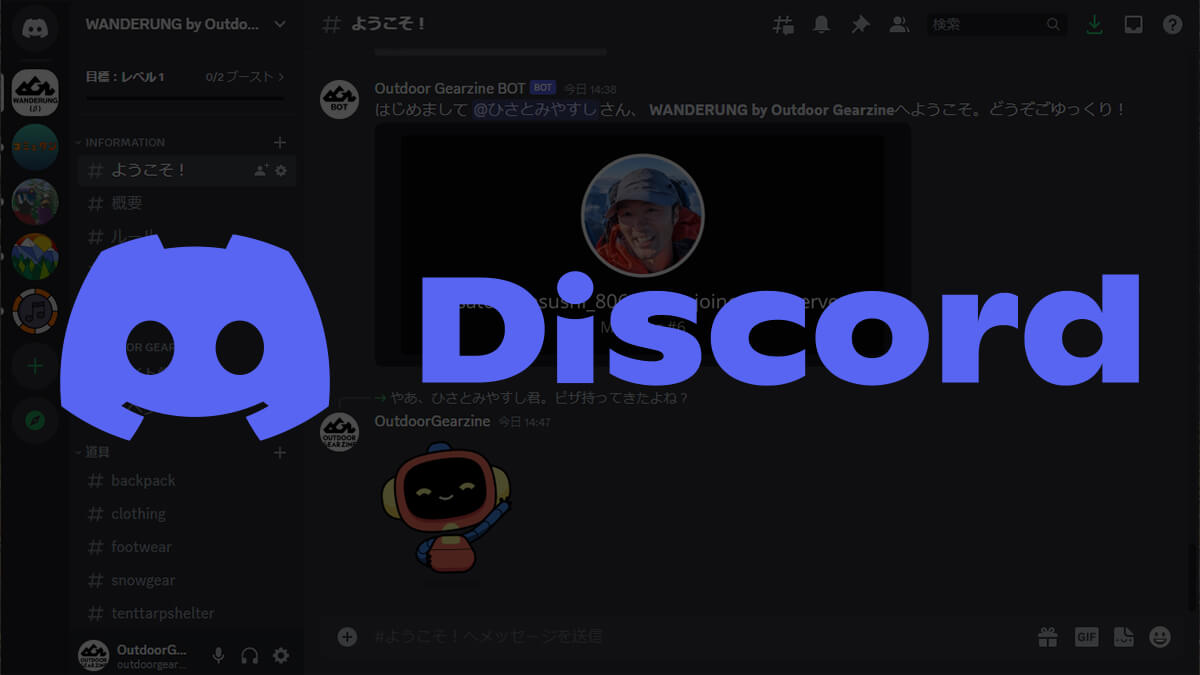
Outdoor Gearzine has recently launched an official Outdoor Gearzine server using the voice, video, and text communication service Discord, where anyone can easily connect to talk about outdoor activities, travel, and gear. When I got to know about Discord, it seemed like a really good server, and I thought I could do everything I wanted to do here
The name of the server is "WANDERUNG by Outdoor Gearzine." "WANDERUNG" is a German word meaning to wander, walk around, or hike. It is also a companion to "Wandervogel," the original landscape that inspired the concept of Outdoor Gearzine. We look forward to working with you

Participate in "WANDERUNG by Outdoor Gearzine"
*If you already have a Discord account, tapping the link will take you directly to the invitation screen. If you do not have an account, first create a Discord account and then click the link above, or enter the URL in the button above to join the server

table of contents
- What is "Discord"? Discord's basic functions and what you want to do with Wanderung
- A community made up of "invitation-only members" rather than an unspecified number of members
- Free to play
- Exchange information through categories and channels on various topics and themes within the server
- Each channel allows users to chat with each other in a variety of ways, including voice, video, and text
- Multi-platform
- BOTs and external apps will make it even more fun and convenient
- Summary: We look forward to your participation in what will soon be the most free, relaxed and exciting place for outdoor enthusiasts
What is "Discord"? Discord's basic functions and what you want to do with Wanderung
First of all, for those of you who are wondering, "What is Discord?", let me give you a simple explanation. Discord is an audio, video, text, and image communication tool developed in the United States. It originally gained attention as a voice chat tool for people who enjoy online games, but now it is popular with a wide range of people, not just gamers
This tool is essentially a luxurious, enhanced version of the traditional bulletin boards, but why is this old-fashioned service attracting attention now, and why did Outdoor Gearzine decide to try it out? Simply put, it's because it completely updates the outdated, clunky, and boring aspects of traditional bulletin boards, creating a communication tool that perfectly fits the latest technology and digital lifestyles. So, below, we'll introduce what you can do with Discord, as well as what Wanderung hopes to offer in the future
A community made up of "invitation-only members" rather than an unspecified number of members
Discord communities are generally run on an invitation-only server system. In the case of "WANDERUNG," Outdoor Gearzine runs a server called "WANDERUNG," and the community is created when users join after being "invited" by the server administrator
Once a member joins, they can text chat and voice chat with multiple users within the server. As an aside, another appealing feature of Discord is that it allows for the continuous addition and improvement of features that participants can enjoy, such as server-specific emojis and custom server customization using multi-functional bots, and Wanderung also plans to continue updating these features in the future
Free to play
Discord is basically free, and calls are also free (smartphone data charges are separate, of course). However, to upload larger files like videos, customize your profile more freely, and use fancy emojis, you need to subscribe to the paid plan "Discord Nitro," which is pretty much the same as most other apps
Exchange information through categories and channels on various topics and themes within the server
Within the server, you can create various channels (similar to threads) based on themes, and you can also group channels into categories, which reduces clutter on a single timeline and allows for a comfortable exchange of information. Currently, in WANDERUNG, we have created the following channels (with the assumption that we will continue to review them as we go along)
[INFORMATION]
Various announcements, etc
【tool】
- # General tools
- # Share my equipment list
- # Backpack
- #wear
- # Shoes and socks
- # Tents and tarps
- # Sleeping System
- # Cookware
- Backcountry skiing and snowboarding
- Winter mountain climbing and ice climbing
- Sawanobori gear
- climbing
- # others
【activity】
- # Camping
- # Hiking/Trekking
- # Trail running
- # Canyon climbing
- # Backcountry skiing and snowboarding
- # Travel/Backpacking
[Skills & Tips]
- # Skills/How-to
[Chat]
- # Free Chat
Each channel allows users to chat with each other in a variety of ways, including voice, video, and text
Discord supports "text chat" using text and images, as well as "voice chat" using audio and video. You can communicate with people you like at any time and in the way that suits you, whether that's through text most of the time or through voice or chat during special events
The articles distributed by Outdoor Gearzine are inevitably quite long, so we will be posting small pieces of information, reports, miscellaneous writings, editor's notes, etc. that would not make it into an article in a relaxed space like this
Multi-platform
Finally, Discord can be used on a variety of devices. As of October 2023, it is compatible with the following operating systems:
- Windows
- Linux
- Mac
- iOS
- Android
What's more, there is even a browser version available that can be used without installation (although it seems that some functions are not available), so the barrier to entry is extremely low
BOTs and external apps will make it even more fun and convenient
Discord's features can be expanded by incorporating external applications and bots, making communication more fun and convenient
There are a mountain of ideas, including the smaller ones, but some easy-to-understand examples include a bot that can play music as background music, a bot that can easily run polls, a bot that translates chat into multiple languages, a bot that assigns levels based on the activity level of users in the server, a bot that links Twitter and Discord and automatically reposts tweets, etc. This high level of extensibility, which allows functions to be easily added and the system to evolve, was a boon for Outdoor Gearzine, which was thinking about starting a variety of things, including offline events
Currently, Wanderung has incorporated a bot called "mee6" and is introducing a system that allows for customization of welcome messages and increases in level depending on the level of participation of members
Participate in "WANDERUNG by Outdoor Gearzine"
*If you already have a Discord account, tapping the link will take you directly to the invitation screen. If you do not have an account, first create a Discord account and then click the link above, or enter the URL in the button above to join the server

Summary: We look forward to your participation in what will soon be the most free, relaxed and exciting place for outdoor enthusiasts
Now that you know what Outdoor Gearzine's Discord server, "WANDERUNG," is all about, don't be afraid to give it a try! WANDERUNG will continue to offer forums like the current one, and in the near future we're also considering hosting exclusive events both online and offline, as well as offering paid memberships and providing information and services to members, so please look forward to it
I've been writing as if I know everything up to this point, but I'm not very familiar with modern games and I'm still pretty much a beginner when it comes to this tool, so I'm still feeling my way around and exploring various ways to use it. So please refrain from asking detailed questions, and instead, please feel free to let me know if you have any ideas that would make it easier to use or make everyone happier. Everyone, including myself, has just started, so now is a good time to get started! I look forward to your participation!
To join WANDERUNG, if you already have a Discord account, tap the link and you will be taken directly to the invitation screen
If you don't have an account, please create one and start using Discord, then try joining the server using the URL in the link below
Participate in "WANDERUNG by Outdoor Gearzine"

Related reading