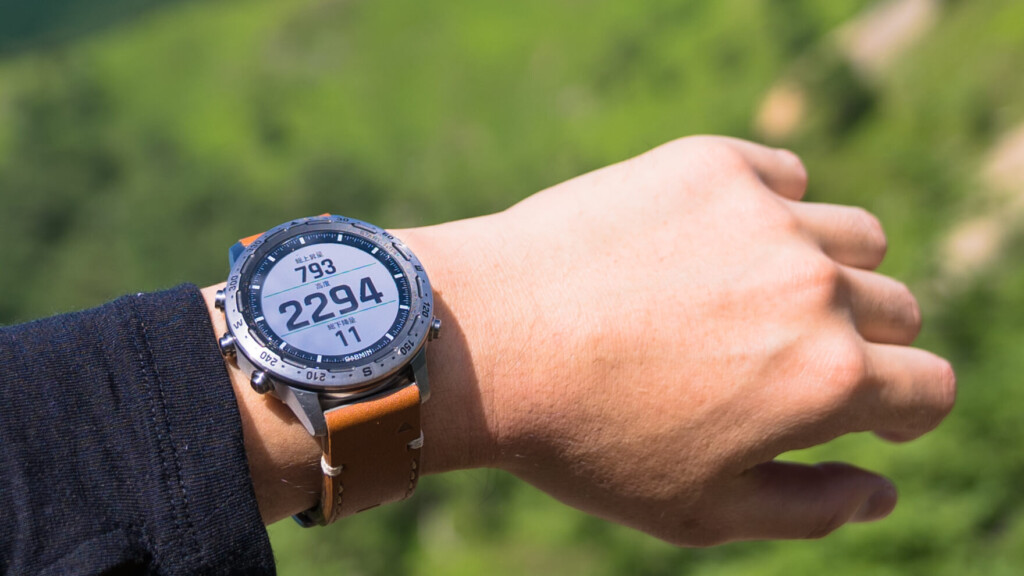
Garmin has been a leader in GPS devices since the 1990s, when paper maps were still in vogue. Now, 30 years later, they're fast becoming a leader in the cutting-edge industry of wearable devices. Drivers, pilots, mariners, explorers, athletes... Not a day goes by without seeing a Garmin on the wrist in tough situations around the world
Garmin, beloved by users across a wide range of fields, has launched a new category of GPS Pro Watches this season. The MARQ collection of supreme high-end models is the result of honing the stoic philosophy that has been adhered to for 30 years and generously incorporating the highest level of technology and materials
MARQ EXPEDITION, a watch from the MARQ collection optimized for mountain activities . After using it for about three months for mountain climbing, trail running, and running, I'd like to share my thoughts on the appeal and comfort of this watch.

table of contents
table of contents
- First Impressions
- What can you do?
- Differences between MARQ Expedition and Fenix 5x plus
- Using the MARQ Expedition for mountain climbing and trail running
- To sum up
First Impressions
Garmin's most sophisticated design ever, one you'll want to wear forever
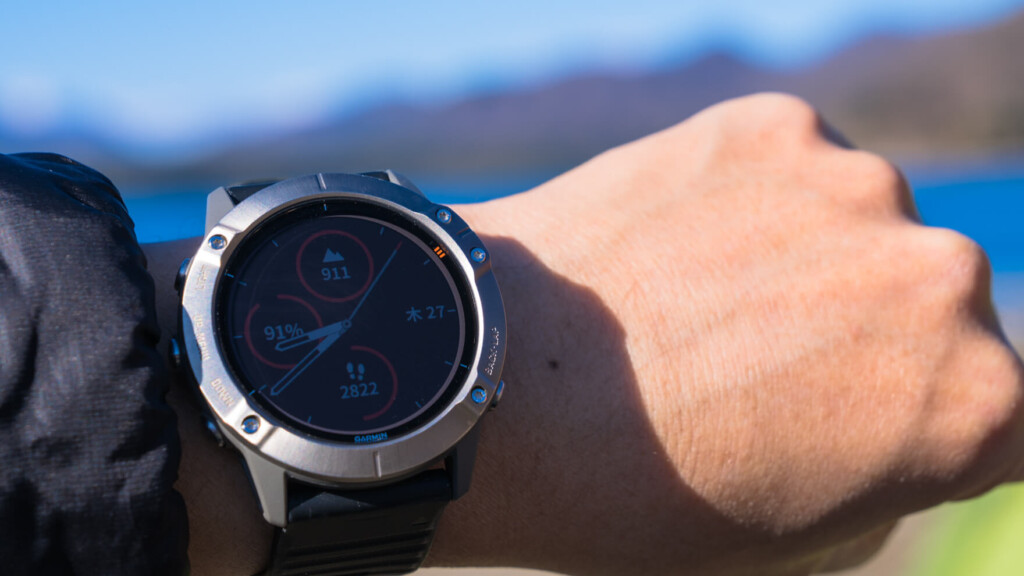
First and foremost, the watch's distinctive appearance is a stark departure from the sporty look typically associated with Garmin and other outdoor watches. The use of high-quality materials and sophisticated design exude a sense of luxury, making this watch truly eye-catching, and making anyone wonder, "Is this really a watch for athletes?" The case, with its matte, understated surface, is crafted from lightweight yet durable titanium. A 360-degree compass scale is engraved around the bezel
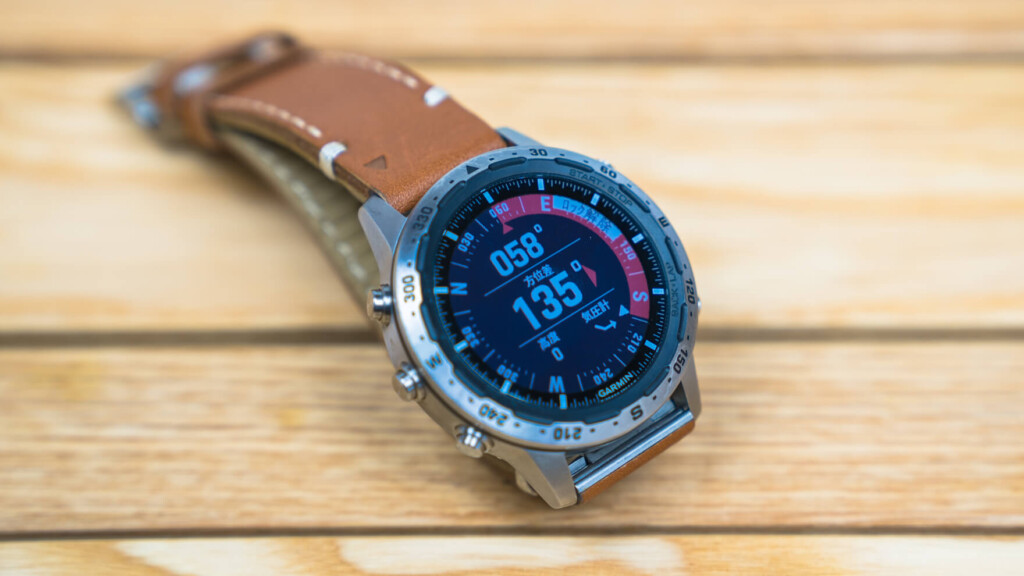
The elegant appearance and bezel engraving are reminiscent of luxury watches such as Omega and Tag Heuer
The watch features scratch-resistant sapphire crystal, a reflective Chroma display that's easy to read even in sunlight, and memory-in-pixel (MIP) technology to minimize power consumption. The backlight automatically turns on and off depending on the angle of the watch
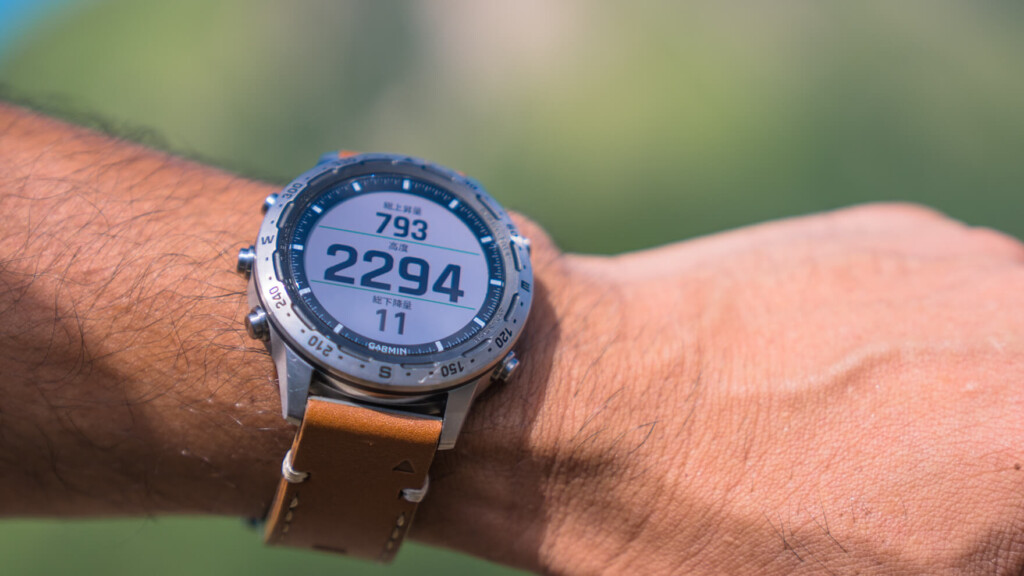
So far, there have been no issues with visibility in the dark or in bright sunlight
The back plate, engraved with the message, features a heart rate monitor and charging connector. The Italian 'Vacchetta' leather strap, which becomes more comfortable with use, not only feels high quality but also offers durability and a comfortable fit, making it a perfect bridge between everyday life and the field. A black silicone rubber strap is also included, so you can enjoy changing it to suit your preferences
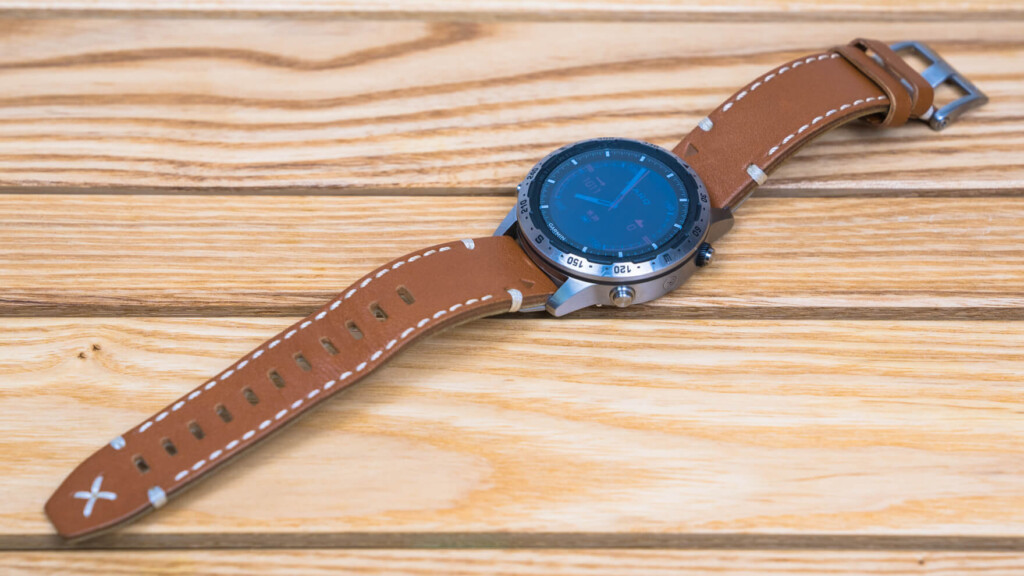
The tanned leather strap can be easily removed and replaced with just one touch
The weight and size are perhaps some of this watch's greatest attractions. A slightly heavier and bulkier smartwatch, equipped with a large-capacity battery and memory, is unavoidable for an outdoor-oriented smartwatch. However, this watch's unique compact design, weighing just 87g and measuring 46mm in diameter and 14.2mm in height, makes it completely unnoticeable. It fits perfectly with a suit or everyday outfit. Plus, it eliminates the usual annoying issue of the watch catching on your wrist when wearing a backpack. It's a subtle difference, but it makes a noticeable difference in satisfaction
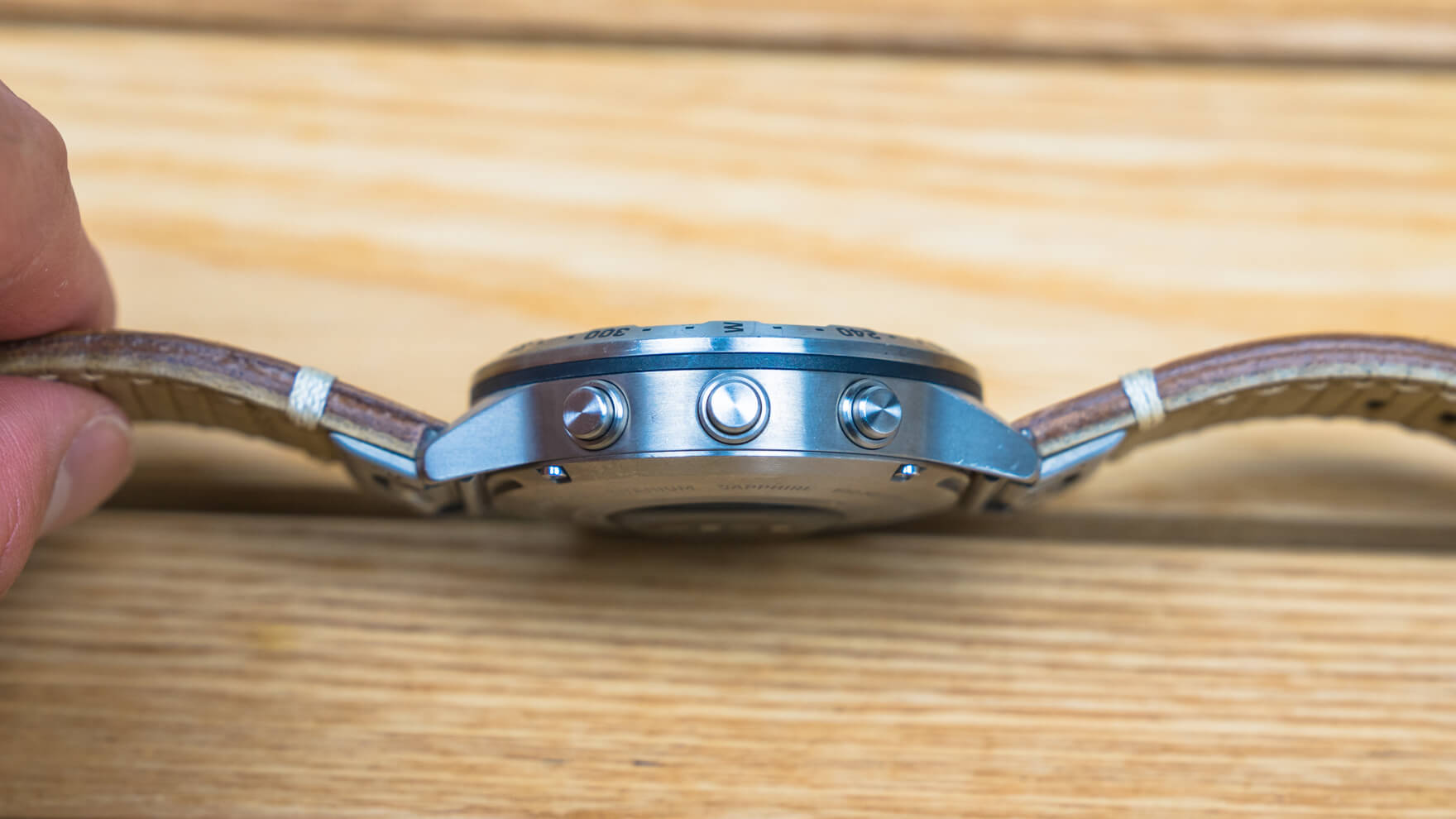
It is made quite thin while still maintaining battery capacity, making it look much less bulky
Once you get used to it, the button configuration is comfortable
Since it's not a touchscreen, it's inevitable that there will be a lot of buttons. That said, handling all of the numerous functions with button operations makes operation somewhat complicated, which is frankly frustrating. Since you'll need to use long presses and other controls, it can be difficult to find functions and learn how to use them at first. However, some settings and operations can be done via a paired smartphone app. Either way, I hope that this will continue to be smarter and more refined
Durability is also no problem
With a titanium case, sapphire crystal, 10 bar water resistance, and an operating temperature range of -20°C to +45°C, it's perfect for water sports or snowy mountain adventures
What it can do: Wearable, easy to use, and long-lasting
In addition to the basic functions of a watch, it's packed with ABC (compass, barometric pressure, altitude) functions, notifications, heart rate monitoring, activity tracking, color maps, and more features too numerous to mention here. Packed with cutting-edge smartwatch technology, it's sure to appeal to athletes who can't rest until they can analyze every last detail of their performance. Here's a rough list of its features, just to give you a glimpse
- In addition to general watch functions, it has ABC (compass, barometric pressure, altitude) functions for mountain climbing, and can display environmental data such as temperature
- Using the GPS sensor and pre-installed mountain climbing map, you can display your current location even in places without internet access
- The heart rate measurement function allows you to measure and record your heart rate at all times, whether you are in a normal state or performing an activity
- It can track and record a variety of activities, including hiking, mountain climbing, trail running, running, triathlons, exercise, cycling, swimming, water sports, skiing, golf, etc. All while displaying real-time information obtained from various sensors, including GPS and a heart rate monitor, on the screen
- It can be used continuously for 12 days in smartwatch mode, and for 24 hours to up to several weeks in GPS mode
- Using the Garmin Connect app, you can save and display your activity history, detailed analysis, and life logs such as activity levels and sleep, as well as set up and operate the watch and various apps
- You can add watch faces and apps from Garmin and third parties using an app called Garmin Connect IQ
- It connects to your smartphone via Bluetooth, allowing you to receive smartphone notifications and incoming call notifications, reply to text messages (Android only), and search for lost mobile devices
- You can navigate to your destination using the map and compass functions
- Garmin Pay allows you to make contactless payments at participating merchants
- You can play music from a paired smartphone or music downloaded to the watch (up to 2,000 songs)
Even if we summarize it very roughly, there are still many. Of these, the most important ones for this site are probably numbers 1 to 7
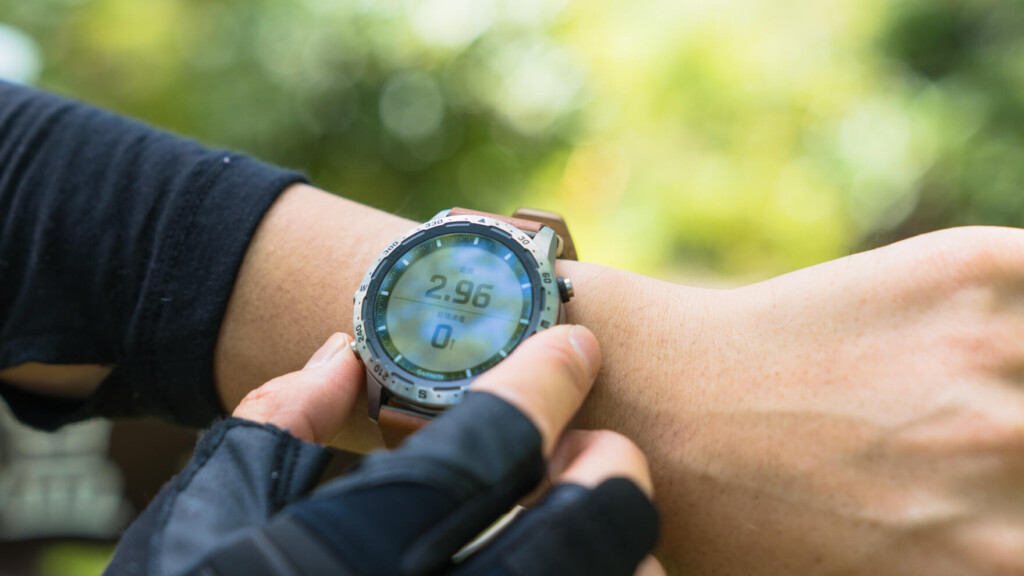
The buttons feel great, and the numerous functions are incredibly easy to use
Differences between MARQ Expedition and fenix 5x plus (fenix 6x)
Until now, Garmin's flagship mountaineering model has been the fenix 5x plus. I was curious to see what the differences were between the new MARQ Expedition and the fenix 5x plus. Having previously used the fenix 5x plus, I've chosen to highlight the differences, including my own personal experience
*The latest model, the fenix 6x, has been announced for release in the fall of 2019, but as I have not seen it yet, I am only listing the specs for reference
| Item Name | MARQ Expedition | fēnix 5X Plus Sapphire Black | fēnix 6X Sapphire Black DLC ※For reference, as I haven't seen it yet |
|---|---|---|---|
| Reference price (excluding tax) | 250,000 yen | 109,800 yen | 110,000 yen |
| weight | 87 g (94 g for silicone rubber) | 96 g | 93 g |
| Body size | 46 × 14.2 mm | 51 × 17.5 mm | 51 x 14.9 mm |
| Bezel Material | titanium | DLC stainless steel | Diamond-like carbon (DLC) coated stainless steel |
| Case material | titanium | FRP | FRP |
| Strap material | Leather (Italian cowhide)/Silicone | silicon | Silicone/Leather |
| battery | Smartwatch mode: 12 days GPS mode: 24 hours UltraTrac mode: 48 hours Expedition mode: several weeks |
Watch mode: Up to 18 days GPS + optical heart rate: Up to 30 hours GPS + music + optical heart rate: Up to 11 hours UltraTrac mode + optical heart rate: Up to 64 hours |
Smartwatch mode: Up to 21 days GPS + WHR: Up to 60 hours GPS + Music + WHR: Up to 16 hours UltraTrac mode: Up to 70 hours Expedition mode: Up to 36 days Battery Saver watch mode: Up to 64 days |
| Internal memory/history | 32GB | 16GB | 32GB |
| Offline Color Map | Shobunsha Topographical Maps, Road Maps, Ski Resort Maps, Golf Course Maps | Shobunsha Topographical and Road Maps | Shobunsha Topographical and Road Maps |
While there may be differences in minor features and ease of use, as far as I can tell, there are few differences in basic functionality. As a result of the smaller and lighter design, battery life has decreased slightly, but convenience for more leisure activities like viewing ski resort maps or golf courses seems to have improved. Therefore, the price difference seems to be largely due to hardware aspects, such as the use of the highest quality materials to make the device smaller and lighter, improving its design, and increasing the internal memory
Try using it for mountain climbing, trail running, and running
Enough with the introduction, let's get straight into how it feels to actually use it. As with other smartwatches, you first need to install the Garmin Connect Mobile smartphone app and pair it with your smartphone
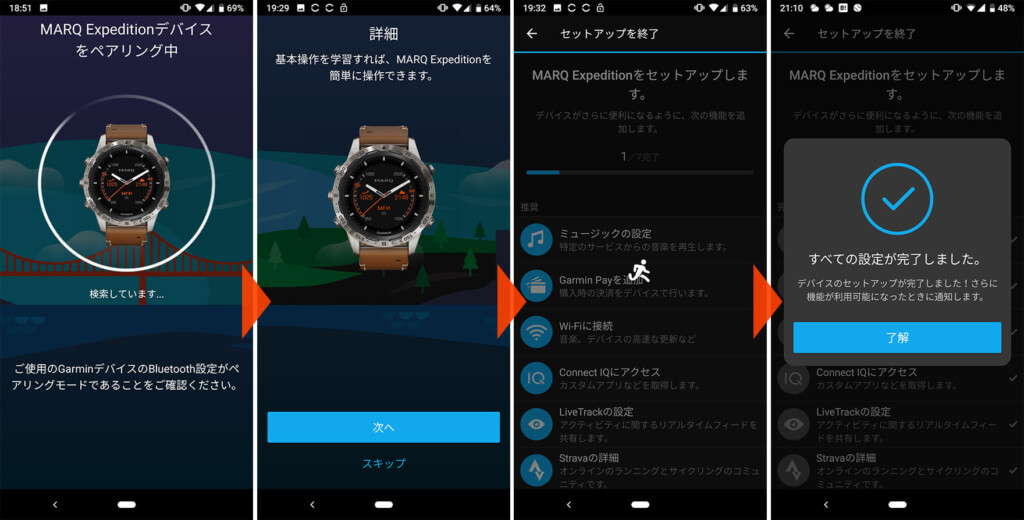
Before using the watch for the first time, you need to pair it with your smartphone and set it up. There's nothing particularly difficult about this
Customize your watch face
Once the initial setup is complete, you can use it in the field right away, but let's customize it a bit more to suit your preferences
One of the attractions of smartwatches is the wide variety of watch faces available. the MARQ Expedition , you can add a variety of original watch faces via the Garmin Connect IQ smartphone app. The sheer number of options is overwhelming, ranging from simple designs to those that clearly display indicators specific to a particular purpose or activity, and even some silly designs.
However, even though people try out a variety of options at first, they often end up settling on something simple. In the end, the watch face I settled on for the time being was "Titanium," the standard watch face for the fēnix series

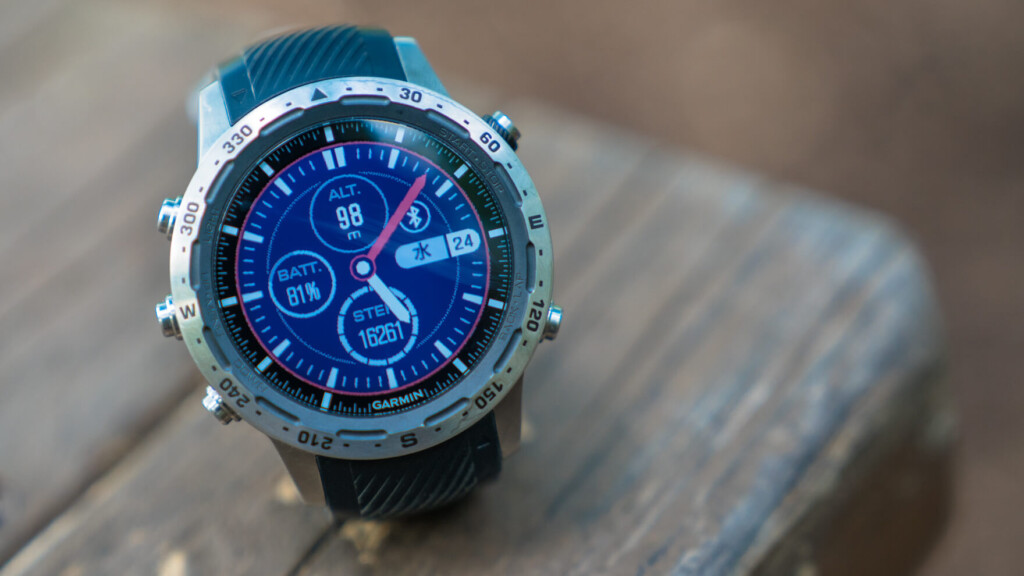
"Titanium" is an orthodox watch face with a simple dial and three customizable display areas
Useful widgets allow you to quickly access the information you need
Garmin Connect IQ is a portal that brings together various apps that make using Garmin wearable devices more convenient, and offers a wide range of apps, including watch faces and widgets that can be called up from the watch
Widgets can add a wide variety of functions beyond your imagination, ranging from those that provide simple information such as temperature and sunrise/sunset, to those that display fitness information in an easy-to-read format, to those that make everyday life more convenient such as maps and navigation for specific purposes, music players and entertainment, calendars and weather forecasts, and more
By installing these, even if you can only use the minimum functions at first, you can gradually customize it to your own specifications and quickly access the information you want with the button on the left
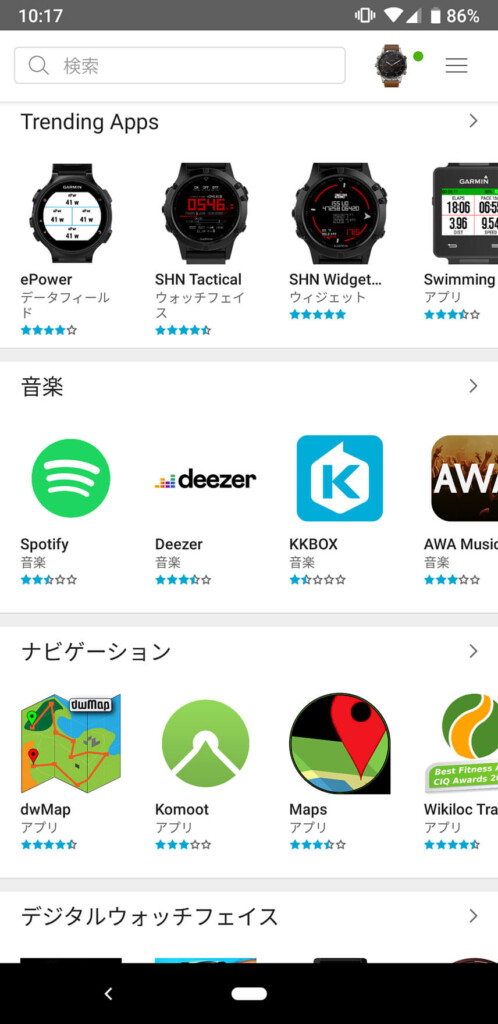
It's like the iTunes or Google Play store on your smartphone
If you add too many widgets it will become cluttered, so I only add the minimum number of widgets listed below
- ABC
- temperature
- Health statistics (heart rate, stress levels, etc.)
- calendar
- weather
- Sunrise & Sunset
- Previous Activity
- Music
- Training Status
There are many English apps and the whole picture is unclear, but there may be some useful apps that can be used in Japan
Choose an activity and start tracking
Now that the basic customization is complete, it's time to try it out in the field
Press the button on the top right, select an activity, and start. If you don't have any particular preferences, that's all you need to do. If you set route information saved in advance in various ways and start the watch, you can also use the navigation function while walking
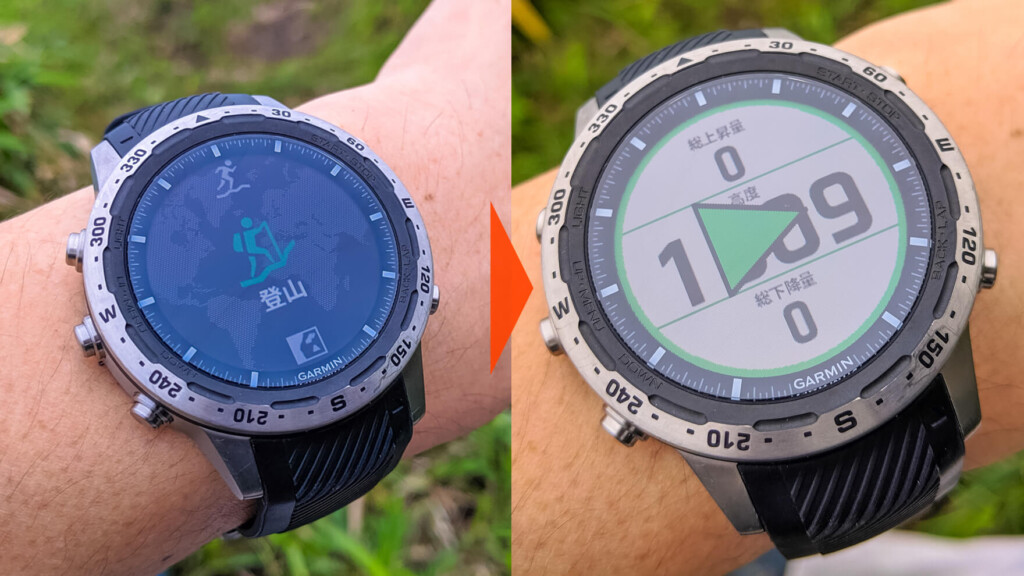
No complicated pre-settings are required, and you can immediately start tracking your activity data and GPS location
The data you can view in real time during tracking is preset depending on the activity, but once you get used to it, you can arrange it however you like. For example, in the case of mountain climbing, the initial settings are as follows for each screen:
- Total ascent/altitude/total descent
- Distance/Uphill Speed
- Current location (longitude and latitude)
- Heart rate
- Current location (map)
- Current time and remaining battery power
is
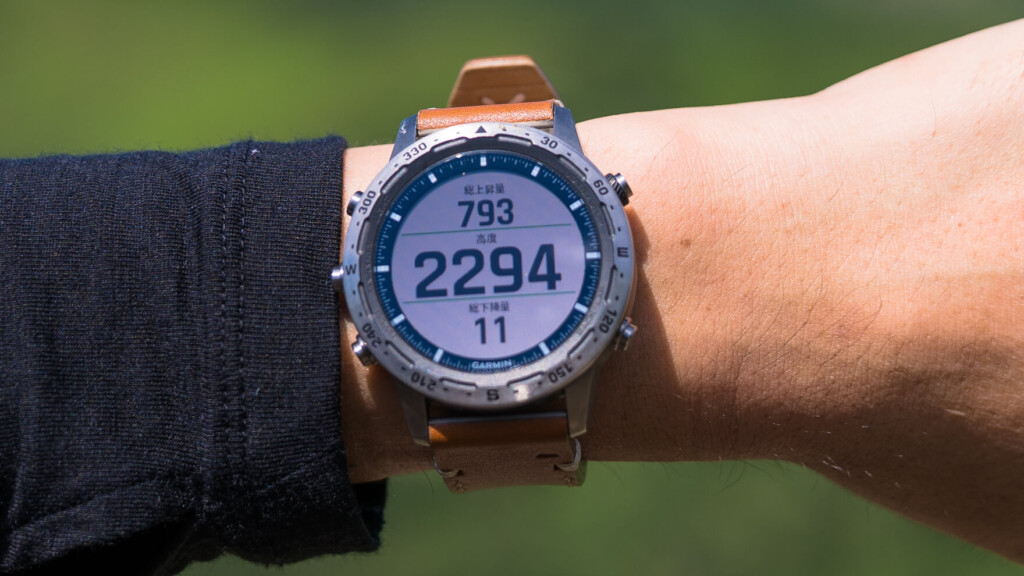
The data you see during your activity can be customized quite freely
However, I like to change the "Current Location (Latitude and Longitude)" screen to the "Atmospheric Pressure & Calories Burned" screen, and add the "Compass" screen, so you can freely arrange the information you want to check immediately while on the move. This is a bit of a hassle at first, but once you've set it up it's really convenient
By the way, the default items for trail running are:
- Distance/Time/Pace
- Total ascent/time/ascent speed
- Lap distance/lap time/lap pace
- Heart rate
- Current location (map)
- Current time and remaining battery power
However, to make it easier for me to use, I replaced the second "time" with "altitude" and "ascent and descent speed" with "total descent amount," and added screens for "stride length," "pitch," and "speed."
Map display
The MARQ Expedition comes pre-installed with the same Shobunsha topographical maps as the fēnix 5X Plus, and you can access them even when not in use. Furthermore, when you start an activity, the map will be displayed along with the path you've walked so far, allowing you to check your current location and route. The combined GPS, GLONASS, Galileo, and Michibiki navigation system provides high accuracy for your current location, making it truly reliable.
In terms of visibility, while you don't need the precision and clarity of a current smartphone, it's still bright enough to be seen even in sunlight, and it doesn't cause any particular stress. However, compared to smartphone maps or touchscreen smartwatches, using the buttons to zoom in and out and move the screen is frankly inconvenient. For this reason, we don't recommend using it as a substitute for a map, and its practical use is limited to checking your current location and the surrounding terrain. Of course, even if you don't, you should always carry a paper map in case of the worst-case scenario
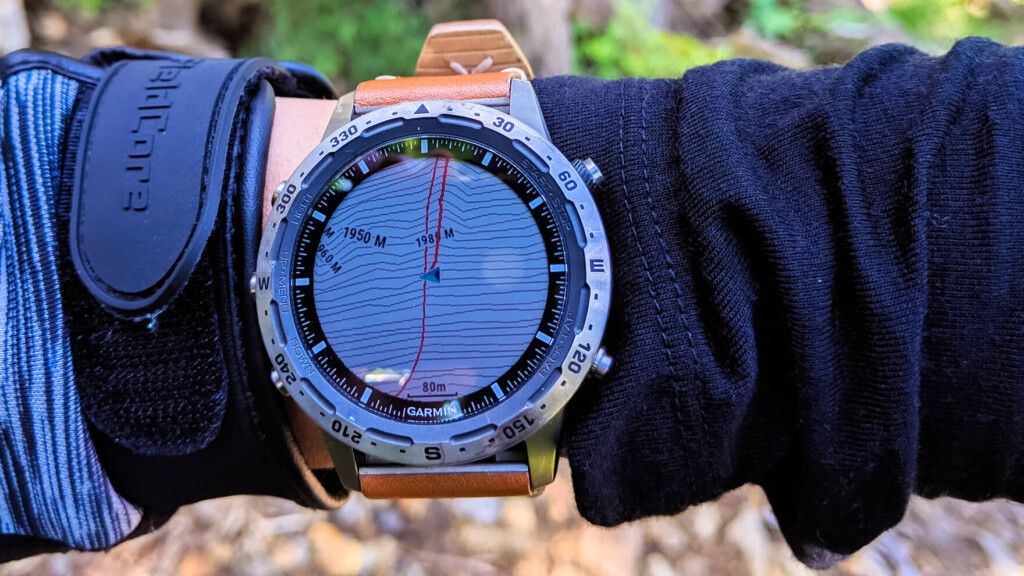
Map display. Although the resolution is a little low, it's fine for finding your current location
Battery consumption
Without GPS tracking, even if you record your heart rate for 24 hours, you'll still have more than 90% of the battery life left at the end of the day. It's safe to say that no one will be dissatisfied with the 12-day battery life in normal mode
On the other hand, when it comes to battery life during activities of interest, with full functionality and no focus on energy conservation, the battery was consumed in the 60% range on a 6-hour day hike. However, if you dim the backlight, turn off Bluetooth, or use "UltraTrac mode," which reduces the frequency of GPS location acquisition, the battery will last more than twice as long, making it more than adequate for ultra-distance hikes. Furthermore, the special "Expedition mode" switches to a low-power state that only uses GPS acquisition, reducing battery consumption for up to several weeks. Being able to freely configure the settings at your own discretion is a welcome feature
In that sense, I think it's safe to say that at this level, there's almost no need to worry about the battery unless you're in an unavoidable situation where you have to use it for more than three nights without charging
Garmin Connect
Once you've finished your climb and reached the finish line, stop tracking and the activity results screen will appear, allowing you to save your results
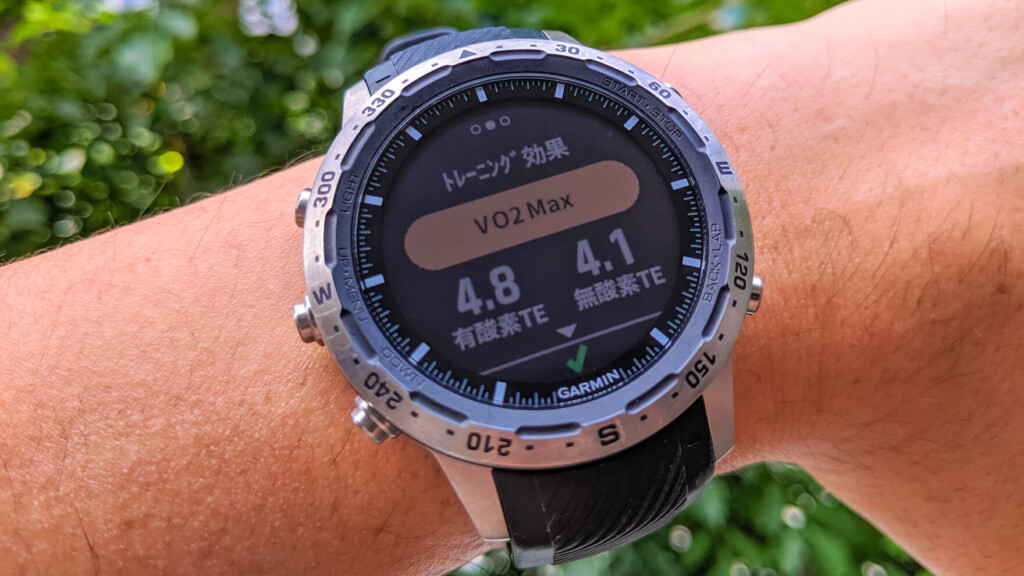
At the end of the activity, you will be told how well you did that day. It's fun to see this on days when you've worked hard
Saved data is automatically transferred to the connected smartphone and can be instantly viewed in the Garmin Connect app. Below is data from a round trip from Nikko Yumoto to Nikko Shirane Mountain. All sorts of detailed activity data, so much so that it would not fit on the screen, can now be viewed at a glance in a graphical format, even though you've never paid attention to it before
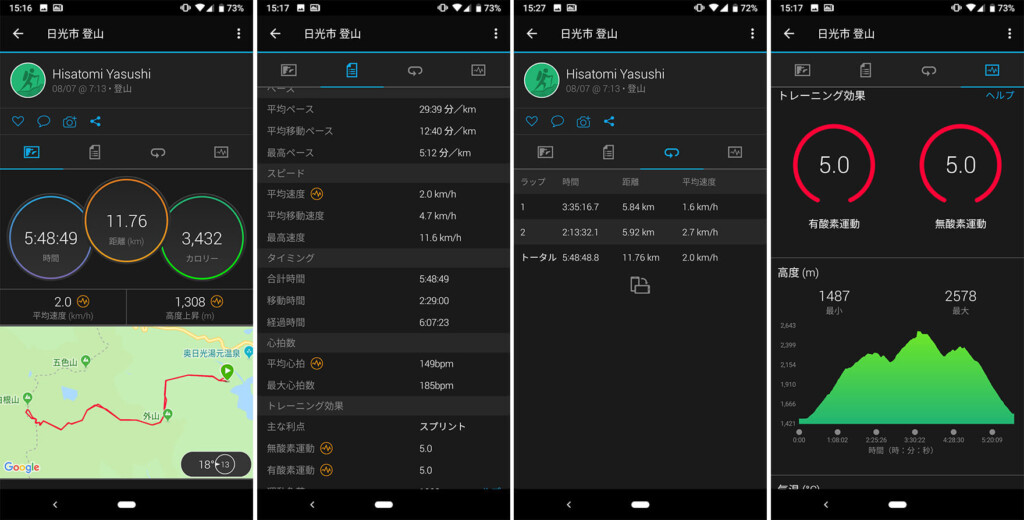
This is a record of your activities when you set the activity "Mountain climbing." The data is very detailed and multifaceted, and you can check it immediately on your smartphone right after you finish
I think this app ranks among the best among other activity management software in terms of the precision of the data it can display and analyze, the customization of the display, the wide range of functions it can operate, and the ease of use of the interface. In addition to detailed data on your past activities, you can easily see all of your daily activities and health status, from your heart rate to the number of steps you take, exercise volume, fatigue level, stress, calories burned, and the quality and quantity of sleep. In my opinion, the precision and ease of display are superior to any other app
I'm not a serious runner, so I don't look at the detailed data, but if you set it up properly, you can view a variety of measurement data essential for detailed and multifaceted analysis of your performance, such as pace, cadence (stride length), VO2Max (maximum oxygen uptake), FTP (functional effective power), and lactate threshold, all in graphical form. For serious runners, this is surely the ultimate motivation


From the left, the current dashboard, recent activity, Vo2Max history, and heart rate history. Each value is displayed in a way that makes it easy to understand
Furthermore, in everyday life, constantly recording the quality and quantity of your daily activity and the quality and quantity of your sleep is sure to be useful for maintaining your health. I never thought I'd wear a watch until I went to bed at night, but once you start recording, it's hard to take it off, which is a nice touch (although the sleep data is still a little lacking in accuracy)
However, regarding the acquired data, although there's nothing we can do about it, it's unfortunate that the "arterial blood oxygen saturation (SpO2) measurement function" that's included in the North American version is not available in the Japanese version. "Arterial blood oxygen saturation" simply measures the oxygen concentration in the blood, and knowing this can tell you whether you're likely to suffer from altitude sickness at high altitudes where oxygen is thin, or whether you're well-prepared to be susceptible to altitude sickness. However, due to legal reasons, as of 2019, this function is not available in Japan, which is a real shame
Summary: Who is this recommended for?
As this is Garmin's highest-end smartwatch, I set the bar high and decided to try it out. Considering the price range, I imagine that most people looking at this page and considering the MARQ Expedition are also considering the company's Fenix 5x Plus (or the upcoming 6 series). In terms of comparison, as mentioned in the main text, while the functionality is top-of-the-line, the difference between the two is hardly worth the price. The battery life is a little low, too. So, why not just go with the Fenix 5x Plus? In some cases, that may be true
Above all, the refined design and satisfying fit are impeccable, and you won't regret buying it just for that reason. While the difference in height and diameter between the 5x Plus and the 5x Plus is only 3.3mm and 5mm, using it every day makes you realize that there is a definite insurmountable barrier to blissful comfort
One thing that can be said is that the MARQ is by no means an expensive sports watch (with only moderate functionality) that simply focuses on luxury, but rather a watch for outdoor enthusiasts who don't want to compromise on anything, with functionality at the same level as a flagship watch, while also offering the design, comfort, and desire to own it of a luxury watch. How you view this difference will determine how you evaluate this smartwatch