



Garmin inReach® Mini: A revolutionary satellite communication device that everyone who goes into the mountains should know about

Written by Yoshihiro Murakami
table of contents
inReach Mini Menu
The default screen that appears immediately after turning on the power is shown in Photo 16-a. When you use the up and down scroll keys on the left side of the unit, the menus that appear are as follows:
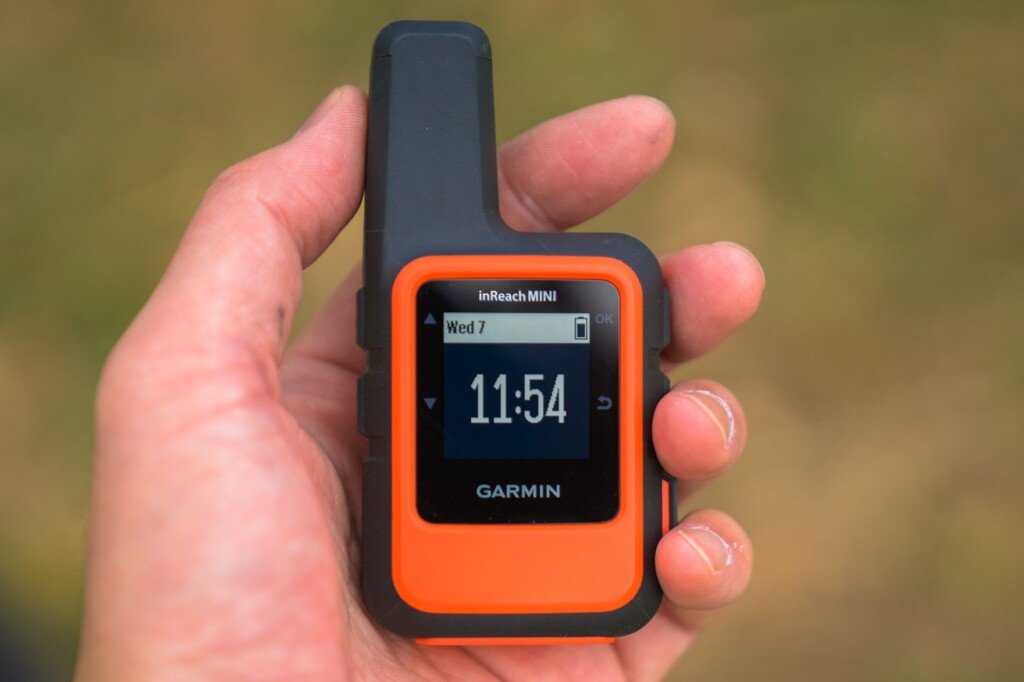
Photo 16-a
- Messages: Check received messages and create new messages
- Mail Check: This is when you intentionally check your email. Usually, emails are received automatically and a notification sound is played
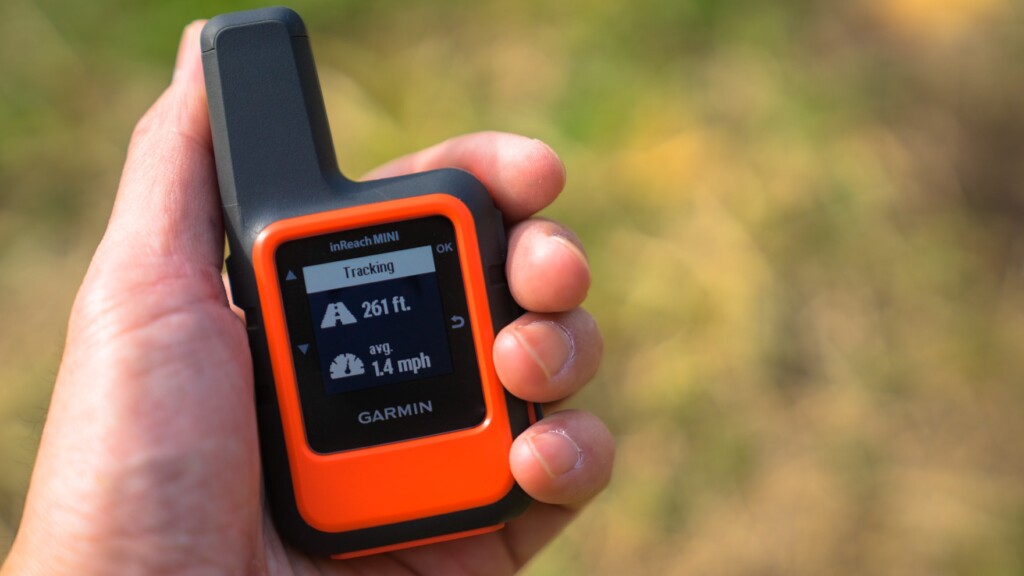
- Tracking: Select when to start tracking
- Location: Check the latitude and longitude of your current location
- Displays movement speed and direction
- Bluetooth: Bluetooth menu
- Weather: Get the weather forecast for your current location
This is the menu that appears when you turn on the power and press the OK button on the right side of the unit. The first option to appear is Send Preset (Photo 16-b)
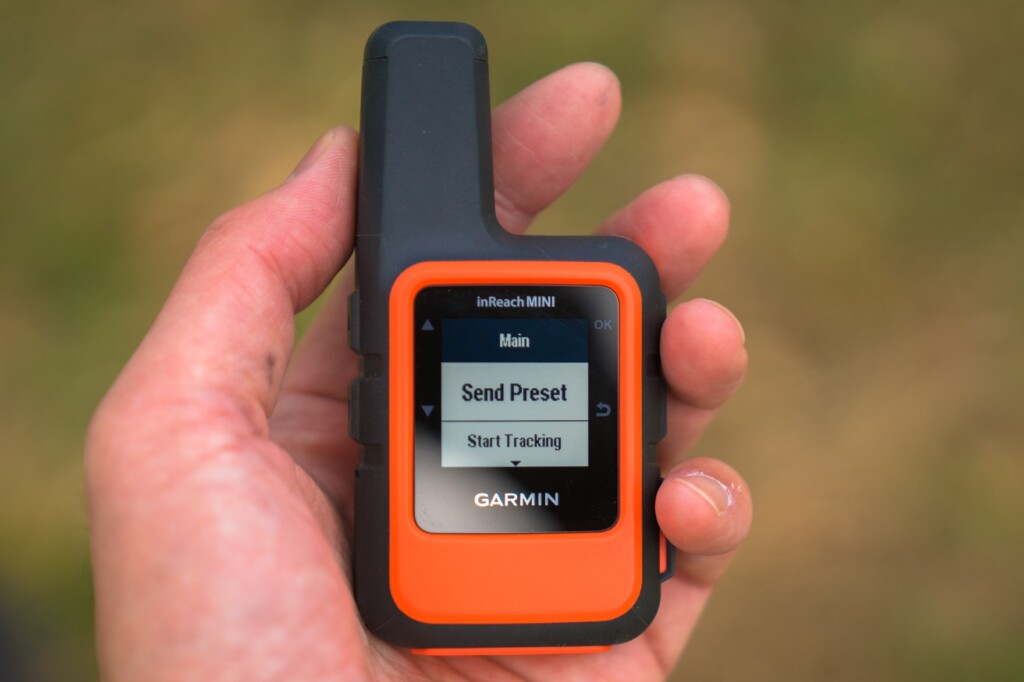
Photo 16-b
- Send Preset: You can choose from three preset messages. These preset messages are usually sufficient
- Start Tracking: Starts tracking. The Stop Tracking menu appears
- New Message: Write a new message. First, select the contacts you want to send the message to with Select Contacts. This also includes Facebook and Twitter. However, you cannot currently post to Facebook timelines. Next, there are the Write Message and Pick Quick Text menus
- Mark Waypoint: Mark a waypoint
- Navigate: Start navigation
- Utilities: Test, Contacts, Data Use
- Setup: Display, Tracking, Bluetooth, etc
You can start from either, but if you plan to use the preset messages frequently, you should probably start from the menu by turning the power on and pressing the OK button
weather forecast
InReach has launched a weather forecast service. The forecast is displayed as visual icons, temperature, and the probability of precipitation. This is convenient when outdoors. However, the results are only displayed on the device itself and are not transferred to a smartphone. The results of a query are shown in Photo 17. The response time was very fast, with the data received in about one minute
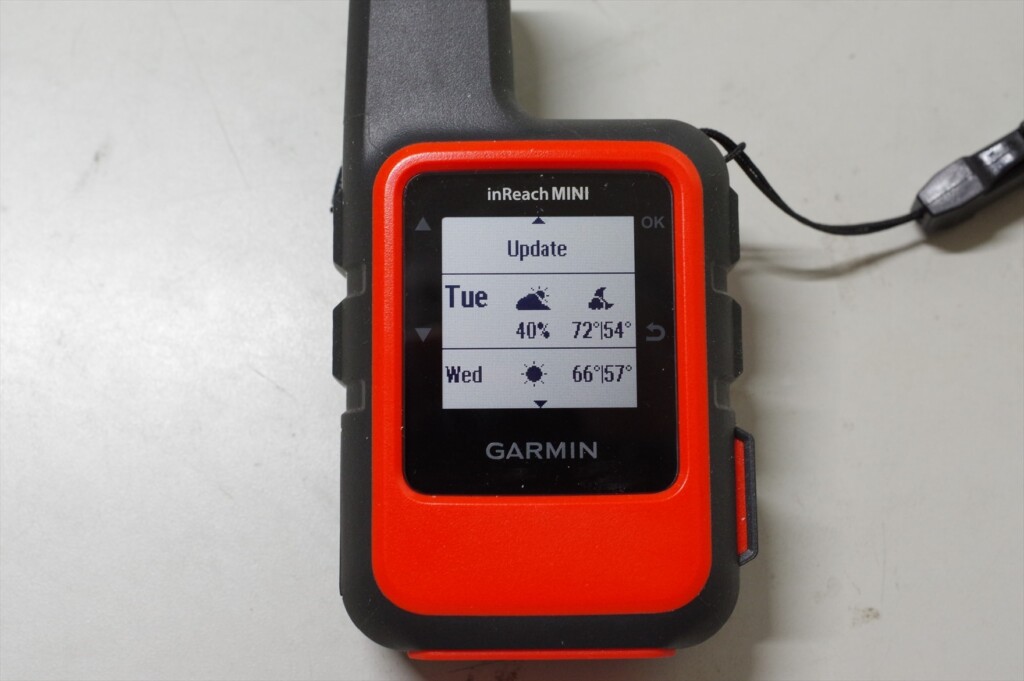
Photo 17: Current location weather forecast. This counts as one message in the basic version
The basic version of the inReach Mini shows two days of weather, temperature, and chance of precipitation. Since I hadn't set it up yet, the temperature remained in Fahrenheit. The premium version shows seven days of weather, temperature, and chance of precipitation in hourly intervals. It automatically costs $1
SOS transmission
The SOS button can be found by opening the cover on the bottom right of the device. An American hiker accidentally pressed the SOS button several times, resulting in a helicopter being dispatched each time. That's why the button is designed to be difficult to press
To send an SOS, press and hold this button, and the inReach Mini will send out an emergency signal. GEOS, an international rescue organization, will receive the signal and send you a confirmation email. You can then respond by confirming that you are experiencing an emergency
The inReach Mini will continue transmitting GPS information until rescue efforts are made. The device cannot be turned off while in SOS mode. When you no longer need to send an SOS, you can cancel the SOS by holding down the button and selecting Yes. A canceling message will then be displayed, and the inReach Mini will return to normal mode
SOS is the last resort
The SOS button is a last resort and should not be pressed unless you are in a desperate situation. Rescue by helicopter is very expensive. In the United States, there was a case where someone pressed the SOS button after a minor accident, which led to a lot of criticism. Here is an example that I remember
- This happened near Mount Whitney in the US this year. I lost the trail and it was night, but I was only using my day gear and no food. Desperate, I sent out an SOS. However, after dawn, I calmed down, investigated my surroundings, and was able to return to the original trail. My knee was injured, but it wasn't serious, so I declined helicopter evacuation. Other American hikers who found out about this harshly criticized me. Losing the trail for just a day isn't a life-or-death situation. It's not too late to send out an SOS after a day has passed. Sending out a helicopter is risky and expensive
- This is another example of a mountain accident in Japan that was featured in a mountain magazine this year. The victim slipped into a valley, injured his leg, and was unable to walk. It was impossible to climb the cliff back to the original trail, and even if he tried to descend along the river, he was trapped by a waterfall. In this case, he did not have an SOS transmitter such as an inReach, so it took about a week for him to be rescued. In such a case, he should have sent an SOS using an inReach. If he had had an inReach, it would have only taken about a day for him to be rescued
GPS may not work in narrow valleys. In such cases, even if you send an SOS, there will be no location information, so it will take a long time for rescue. As mentioned in the usage example, it is a good idea to send your current location every time you take a break. This will significantly narrow the search area, increasing the chances of rescue even if you cannot send GPS information
Differences between inReach Mini and Explorer (older model)
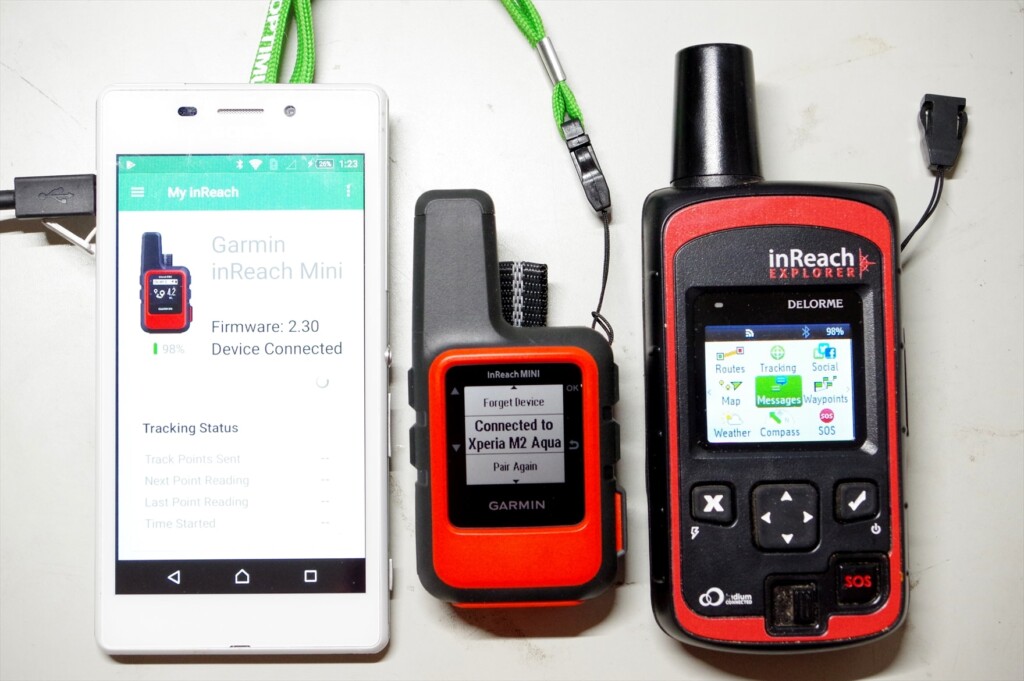
Photo 18: Smartphone, inReach MINI, inReach Explorer (old model)
I'll explain the major differences between the inReach Mini and my current Explorer (older model). I'm not familiar with the current Explorer+ (which can display maps on the device), but I think the operability is similar to the old Explorer
- The Mini weighs 100g, while the old Explorer weighs 190g. The Mini is about half the weight, and its performance is almost the same
- The Mini's GPS location accuracy and speed are comparable to the old Explorer. I turned it on and sent a message at the same time, and both were very accurate. However, under adverse conditions, such as thick clouds or in a forest, the Mini's GPS location calculation converges more slowly
- The Mini's menu is simplified, which can be confusing at first, but you quickly get used to it. It's especially nice that the preset message menu appears immediately. On the other hand, the old Explorer makes it easy to navigate by scrolling horizontally
- On the Mini, the screen doesn't change immediately after sending a message. If you return to the top menu, the sending arrow appears, but this is confusing. On the old Explorer, the sending symbol appears immediately after sending, so it's easy to understand
- The Mini starts up just by turning it on. It's convenient, but it turned on three times without my noticing it. The old Explorer would automatically turn itself off if you pressed the ON switch but didn't move the cursor to select power on. It's inconvenient, but the old Explorer is safer in terms of battery life
Although the Mini is ultra-compact, its operability is generally good. Its performance is almost the same as the old Explorer. The display screen is small, so it takes some getting used to. On the other hand, the old Explorer's menu is flat and easy to understand. It also has a cautious design, such as asking for confirmation after turning on the power
American hikers
Observing hikers in the United States, half of them are wearing some kind of satellite communication device (Photo 19). Cell phones don't work in the mountains, and there aren't many hikers there. If you break a leg or become unable to move, you'll be in danger of losing your life unless you can send an SOS with your location information
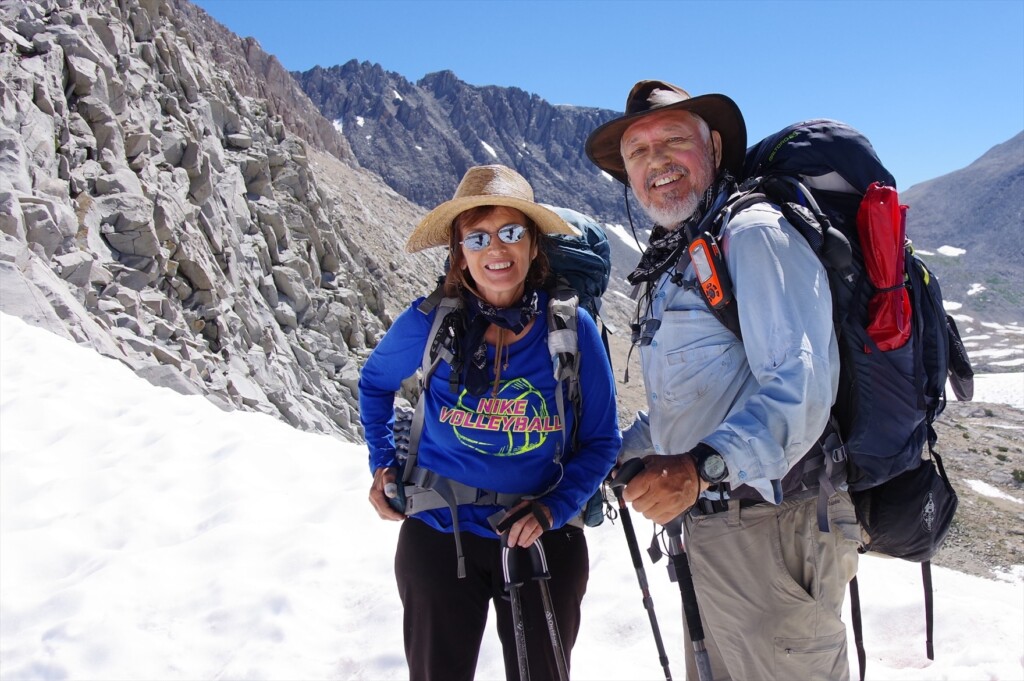
Photo 19: An American hiker I met on the John Muir Trail in 2017. He had the Explorer+ attached to his shoulder strap
In the summer of 2018, a large wildfire near Yosemite forced the temporary closure of Yosemite National Park on the John Muir Trail. I was doing the JMT heading north and staying at Vermilion Valley Village, where I was given special permission to use their Wi-Fi, so I kept up to date with news about the fire situation, including on Facebook
However, the other American hikers had no phone or Wi-Fi and had no idea what was going on. So, we tried to communicate the fire situation to the other Americans, but one group leader had an inReach so he was able to get the information. Yosemite remained closed. This group, including myself, also skipped Yosemite and instead escaped to Mammoth via Duck Lake
In this way, I think of the inReach Mini and Explorer+ as a two-way email system, not an SOS transmitter. You can send and receive emails even in the depths of the mountains where cell phone reception is unavailable, so they can be used for information gathering and other purposes. And if you gather information properly, you can ultimately avoid emergencies like getting lost. With that in mind, I think the Safety plan ($12/month, annual contract) is a bargain