



Garmin inReach® Mini: A revolutionary satellite communication device that everyone who goes into the mountains should know about

Written by Yoshihiro Murakami
table of contents
What is Inreach?
In 2018, Garmin the inReach Explorer®+ (hereinafter "Explorer +") and inReach® Mini (hereinafter "Mini") . Both are two-way email systems with location information that utilize the Iridium satellite network and can also send SOS. The Explorer+ can display maps on the device, so it can also be used as a standalone GPS. The Mini is an ultra-lightweight satellite communication device. Both can be connected to a smartphone via Bluetooth for easy email communication. The Earthmate app can also be used as a standalone GPS app.
Currently, Garmin sells inReach, but inReach was originally a product of a company called DeLorme. Garmin acquired DeLorme in 2016. DeLorme was founded in 1976 and sold topographical maps of the United States, with a market share of over 40%. In 2011, it released a two-way communication device using the Iridium satellite network. The design of the inReach website and the Garmin website is different because they are originally different products
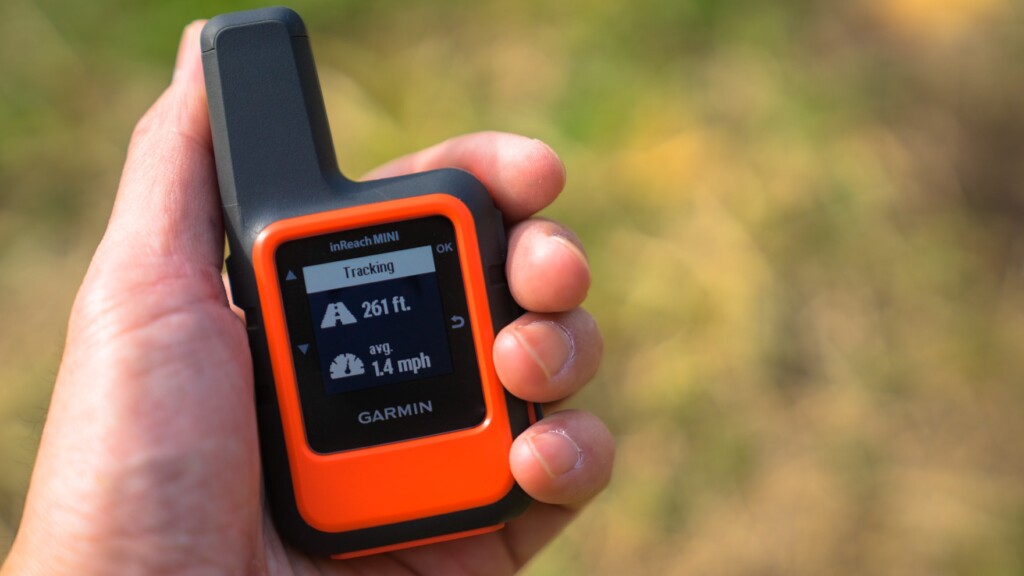
In early 2012, inReach became a hot topic among American hikers. It was discussed on the PCT mailing list. It seemed like an ideal device for hikers' safety. So I bought a first-generation inReach in 2012 and used it until 2016. I then switched to the Delore Explorer, which I still use today. I was able to borrow the Mini (Photo 1) from Outdoor Gearzine, so I wanted to compare it with the older model and check its performance
*PCT: An abbreviation for the Pacific Crest Trail, a long trail stretching 1,600 kilometers along the west coast of the United States
table of contents
- What can you do?
- Things to do first
- Basic usage
- Differences between inReach Mini and Explorer (older model)
- American hikers
- Example of use in Okutama
- Experience using inReach Mini
- When was it useful?
- To sum up
What can you do?
- The Iridium satellite network covers the entire world, allowing two-way email and SOS transmissions anywhere in the world, with the exception of Cuba, Iran, South Korea, Sudan, Syria, and Crimea due to political reasons
- As long as you can see the sky, you can exchange emails with friends from anywhere, even if there is no cell phone signal. Your friends can see your location on a map and send you emails
- You can create three preset messages and send them to multiple locations at the same time. Sending any number of these messages is free
- Connecting to your smartphone via Bluetooth allows you to freely compose messages in a familiar way. However, the inReach device cannot display Japanese. It is safer to write messages in Roman letters or English
- You can connect to a Garmin smartwatch and exchange GPX files, etc. In this case, you need to use the Garmin Connect website
- The Earthmate app can also be used as a standalone GPS app, and its great thing about it is that it downloads a wide range of topographical maps during initial setup
- MapShare allows you to share your location and message with friends along with a map, and also post it to Facebook and Twitter
- Pressing the SOS button sends an emergency signal with your location to an organization called GEOS, which will launch a global rescue operation, but this should only be done as a last resort
- Account holders can purchase up to $100,000 in rescue insurance for $18 per year
As of August 2018, messages can no longer be posted to Facebook timelines due to security reasons. However, this problem can be overcome by pasting a MapShare link into a blog or Facebook page
Things to do first
satellite communications contract
After purchasing an inReach Mini, you will need to sign up for an Iridium satellite communications contract. There are two types of contracts: personal and professional. There are four types of personal plans: Safety, Recreation, Expedition, and Extreme. Here, we will explain the personal Safety plan
The pricing for the Safety plan is shown in the leftmost vertical column in Photo 2. Up to 10 text messages are included in the price, with any additional messages being charged at $0.50 per message. Getting a weather forecast counts as one message. Tracking costs $0.10 per track. This is $12 per month for an annual contract, or $15 per month for a flexible contract. A flexible contract allows you to sign up for a monthly contract whenever you need to, but changing your contract can incur a $25 fee, so think carefully. The preset messages are free, so if you use them wisely, you can operate the plan at a surprisingly low cost
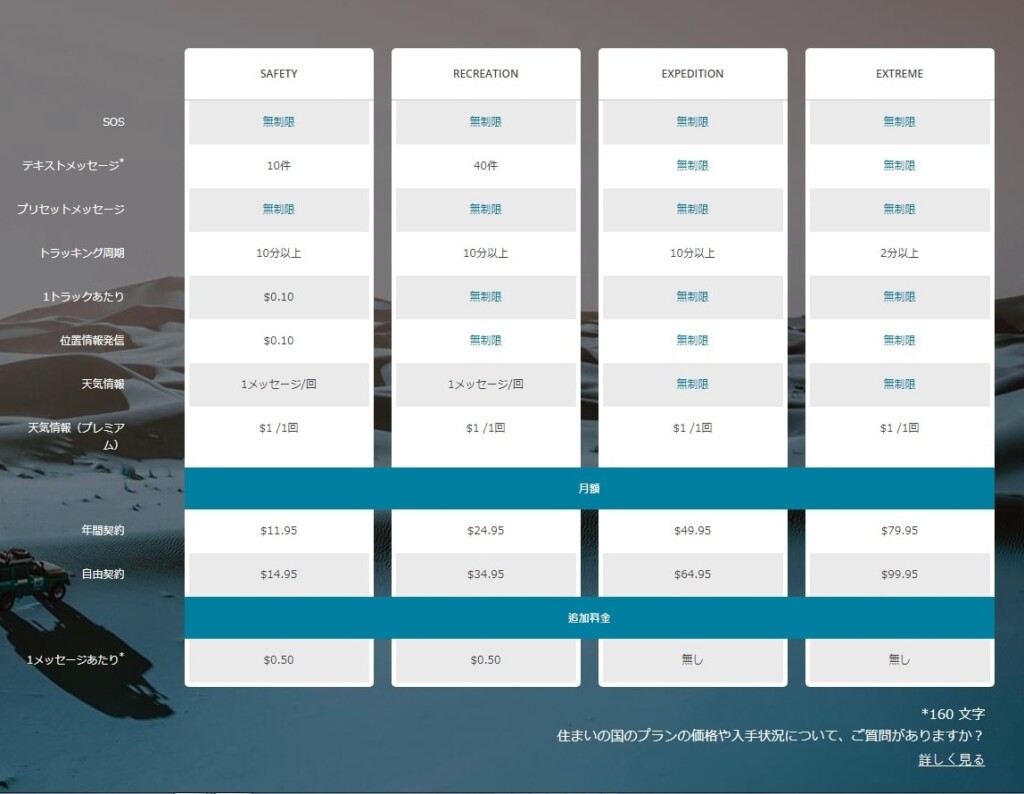
Photo 2: Take a closer look at this chart for satellite communications contracts
Once you create your account on the ExploreGarmin.com page (Photo 3) and make the required selections, your satellite communications contract will be established. This is also the page where you configure your inReach, so be sure to keep it safe. You will need a computer to perform maintenance on this page. Firmware updates cannot be performed using a smartphone alone
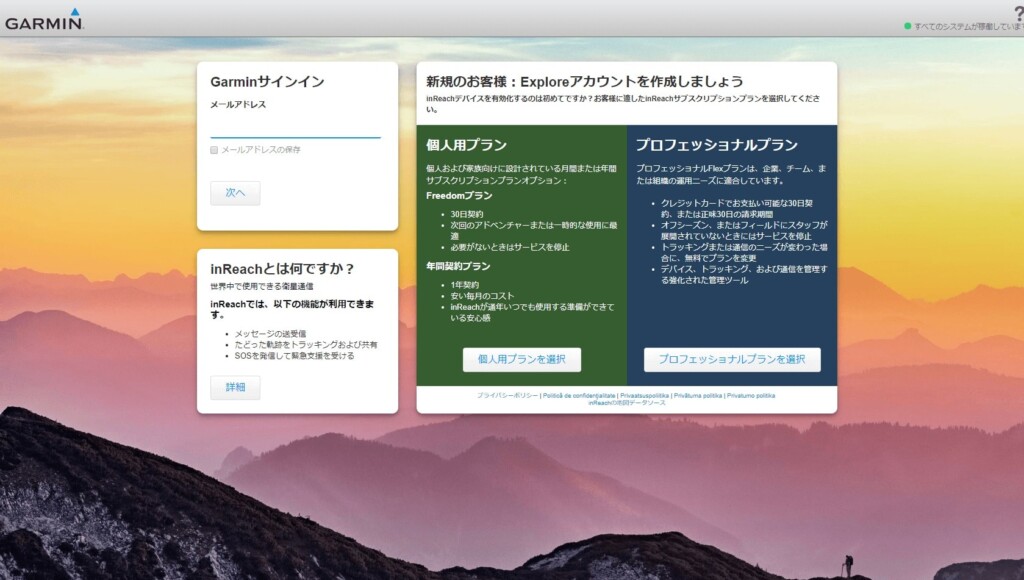
Picture 3: Create your account here. This is an important page for configuring your device
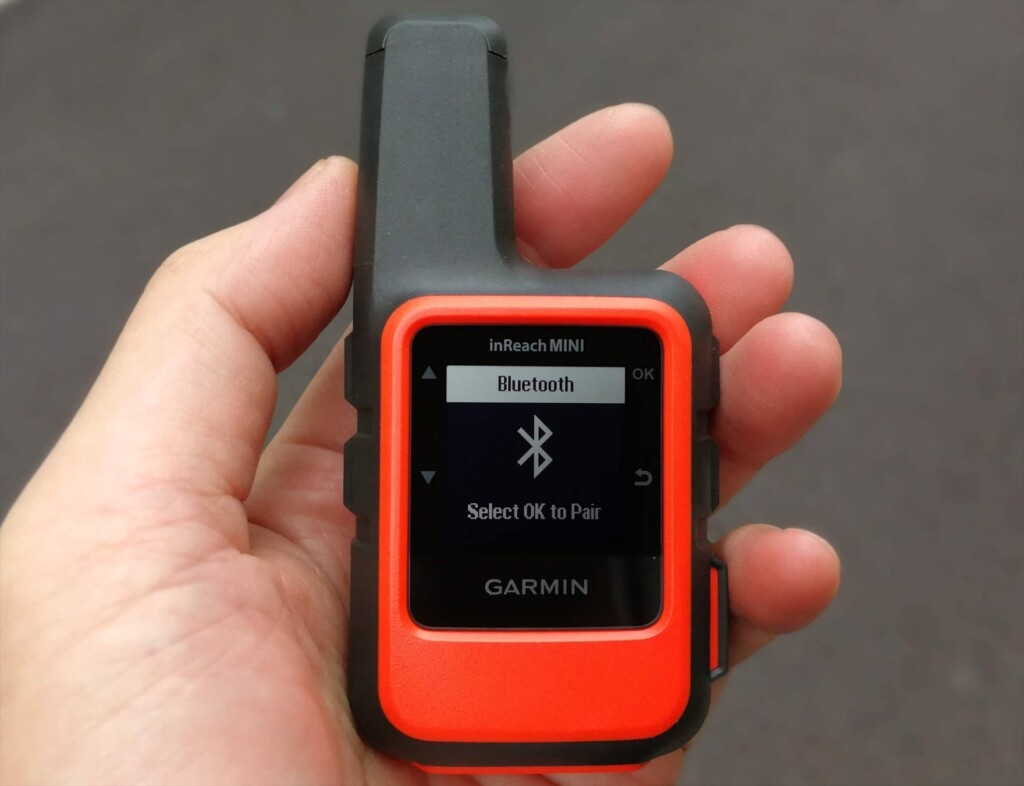
Once you've signed up online, you can activate the device. This is easy: just go to a place with a good view of the sky, turn on the Mini, and wait a while (Photo 4)
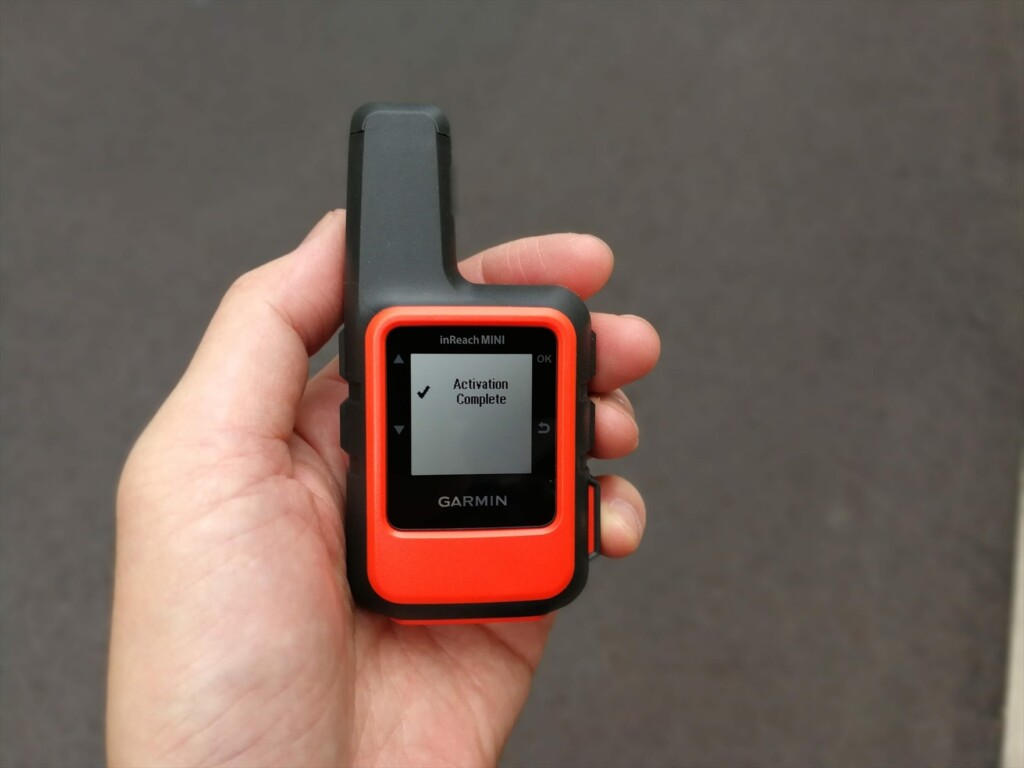
Photo 4: Once activation is complete, the screen will look like this and you will be able to use it
Pairing via Bluetooth
Install the Earthmate app on your smartphone. When you launch it, a map will appear, but the three vertical dots in the upper right corner are the menu. Clicking on this will bring up a menu with Sync, Pair, Settings, and Help. Select Pair. On the inReach, turn on Bluetooth and select Pairing mode. After a while, the inReach devices available for pairing will be displayed on your smartphone. Click on this to confirm and the pairing will be complete. Photo 5 shows the process in progress
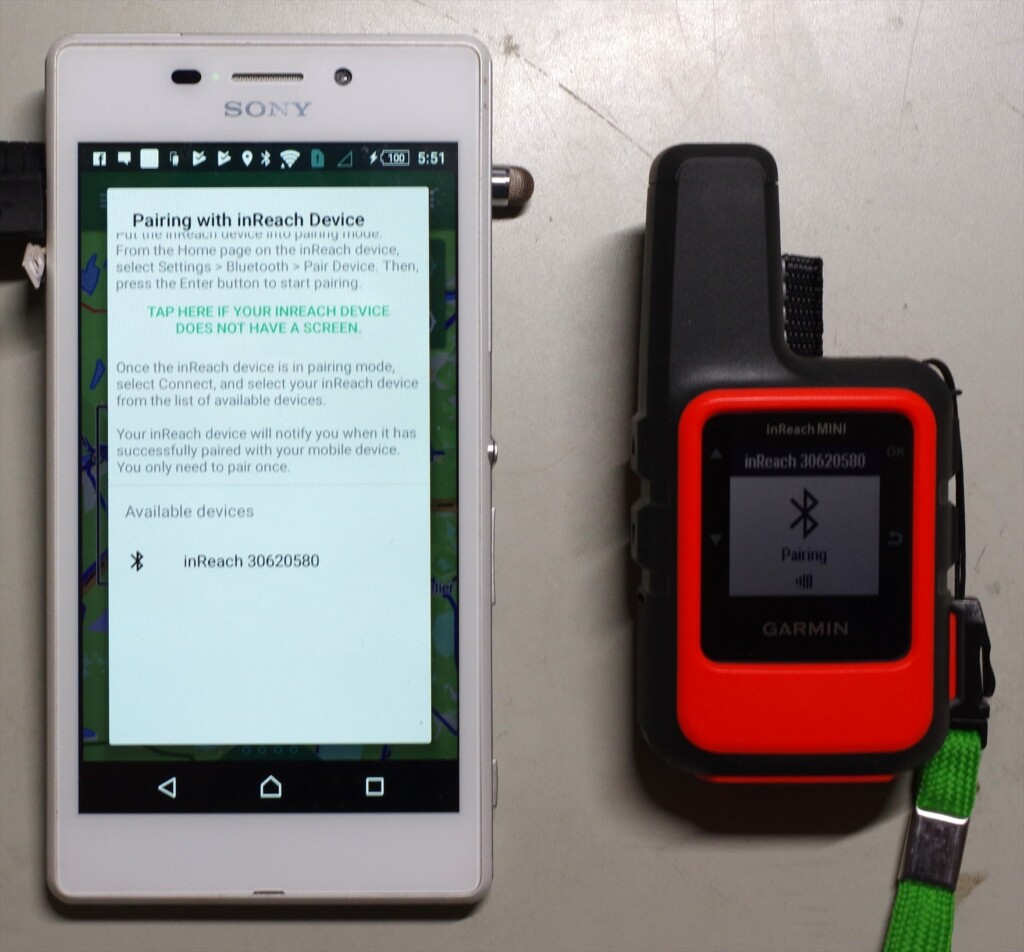
Photo 5: inReach30620580 is the device name of the inReach. Clicking on this name will start pairing
Once paired, the menu content in the upper right corner will change (Photo 6). Select Download and download the map. The base map is OpenStreetMap, and a topographical map of the entire Japan will be downloaded all at once. If you are interested, you can also download other maps
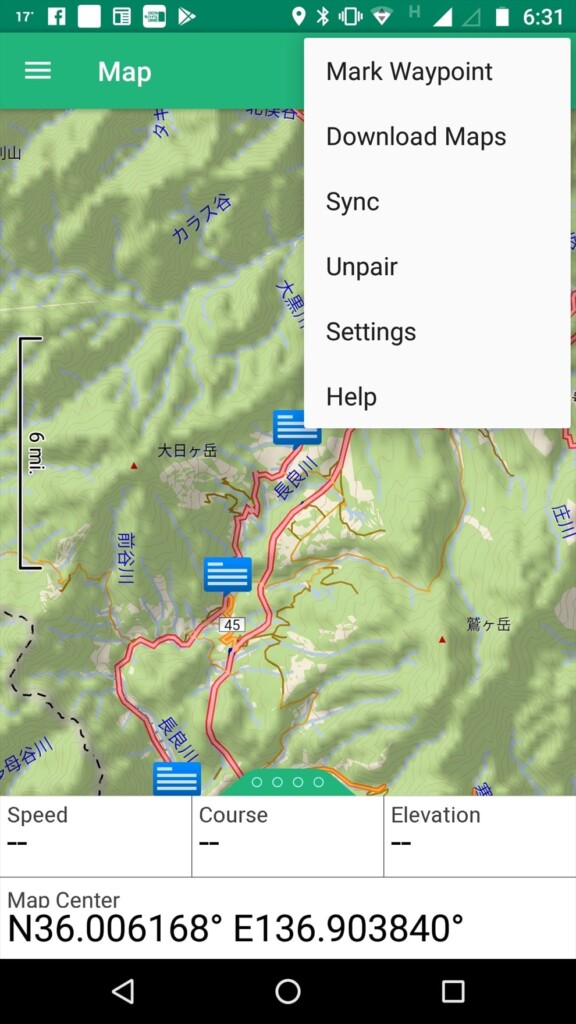
Photo 6: Top right menu after pairing
Another menu is the three lines with the word "Map" in the upper left. Clicking on this will bring up the basic menu (Photo 7). When you log on, you will see Map, Message, Tracking, Waypoints, Routes, Compass, History, My inReach, Weather, and SOS. The most frequently used options are Map and Message
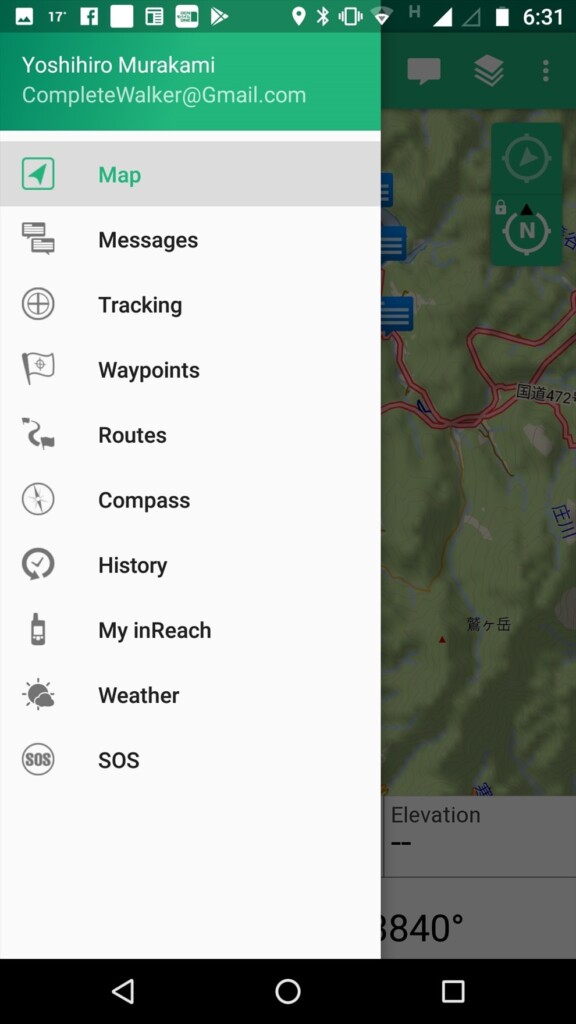
Photo 7: Tap the basic menu in the upper left
firmware
Connect the inReach to your computer with a USB cable and use software called inReachSync to update the firmware. This also synchronizes with your account, so preset text and contacts are transferred to the inReach. Photo 8 shows an image of this software in operation
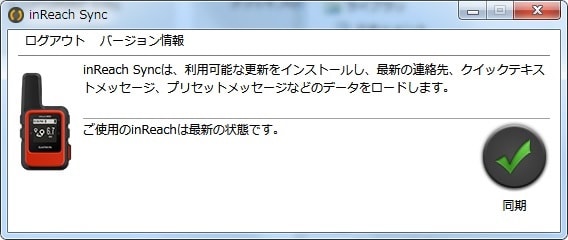
Photo 8: Update the firmware to the latest version on your computer
Firmware updates are released every few months and are essential for stable operation, so be sure to check them from time to time to keep your inReach Mini up to date