



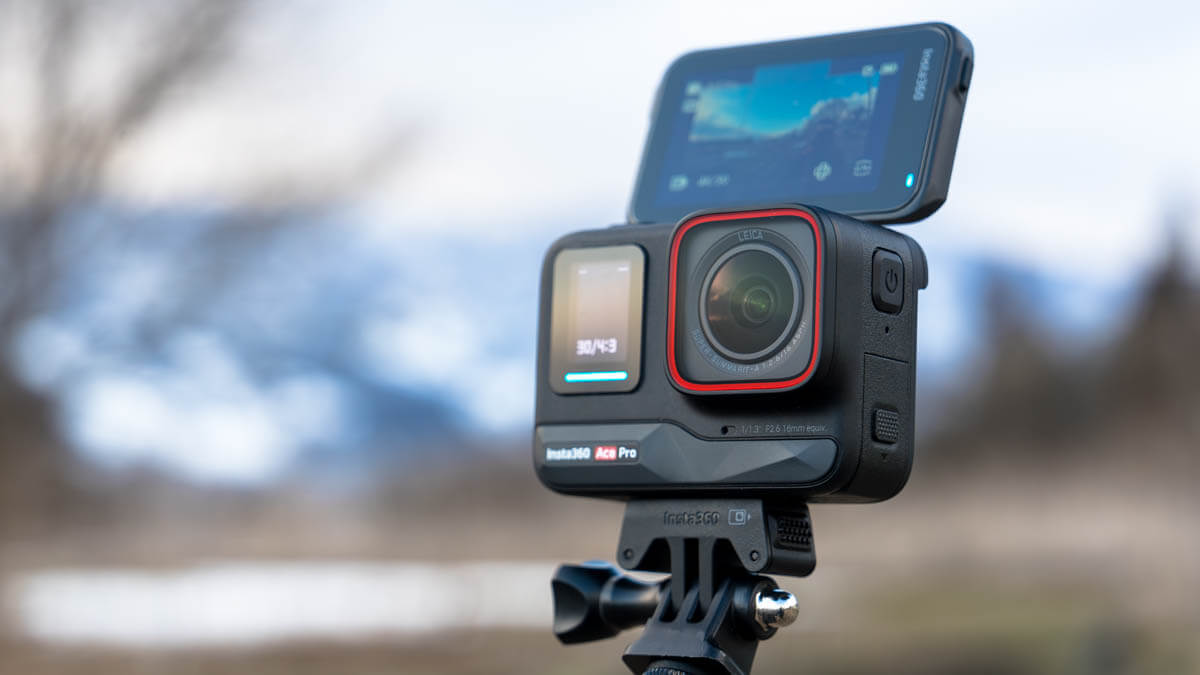
Can the Insta360 Ace Pro, a full-fledged action camera developed in collaboration with Leica, be used for mountain climbing or skiing? A mountain-loving GoPro user switches to the camera and finds out what he likes and dislikes

Written by Yasushi Hisatomi
OGZ Membership Now accepting new members
The long-awaited debut of a serious action camera from Insta360, the leading 360° camera brand
Insta360 is a relatively young camera manufacturer based in Shenzhen that started in 2015, and as the name suggests, their main products have been mostly spherical (360°) cameras until now. Their flagship 360° camera, the Insta360 X3, has become an indispensable part of my outdoor photography all year round, thanks to its excellent image quality and ease of use
At the end of last year, they released the full-scale action camera " Insta360 Ace Pro (& Ace) ." Equipped with a lens jointly developed with Leica, a large sensor, and the ability to record at up to 8K, as well as a flip-up touchscreen that's great for taking selfies, the camera's easy-to-understand, unique, and excellent features make it clear that the company is serious about replacing GoPro, the leader in this category.
When I think about it, I first started using so-called "action cameras" 10 years ago with GoPro HERO4 the GoPro the HERO9 that I have now . However, perhaps my expectations were too high each time, but honestly, I can't remember ever being fully satisfied with it, and I would always end up not using it at some point.
That's why I couldn't help but be intrigued when I heard that this serious action camera had been released by one of my favorite manufacturers
I was fortunate enough to be provided with the Insta360 Ace Pro under the condition that I could freely review it, so I immediately used it for about three weeks while hiking, skiing, and other outdoor activities. I would like to report on my impressions of its outdoor usability, including what I thought was useful in the mountains and what I found difficult.
table of contents
What is Insta360 Ace Pro?
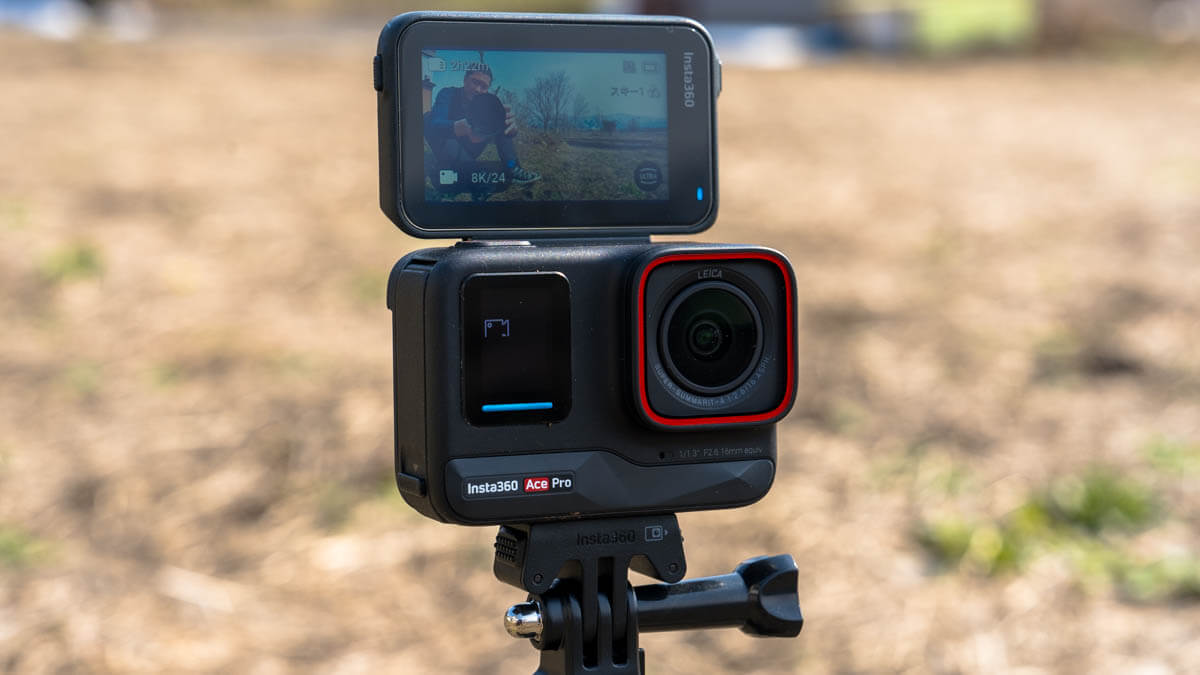
Insta360 Ace Pro is a full-fledged action camera with a flip-type touchscreen
A high-quality, high-performance wide-angle action camera jointly developed with Leica
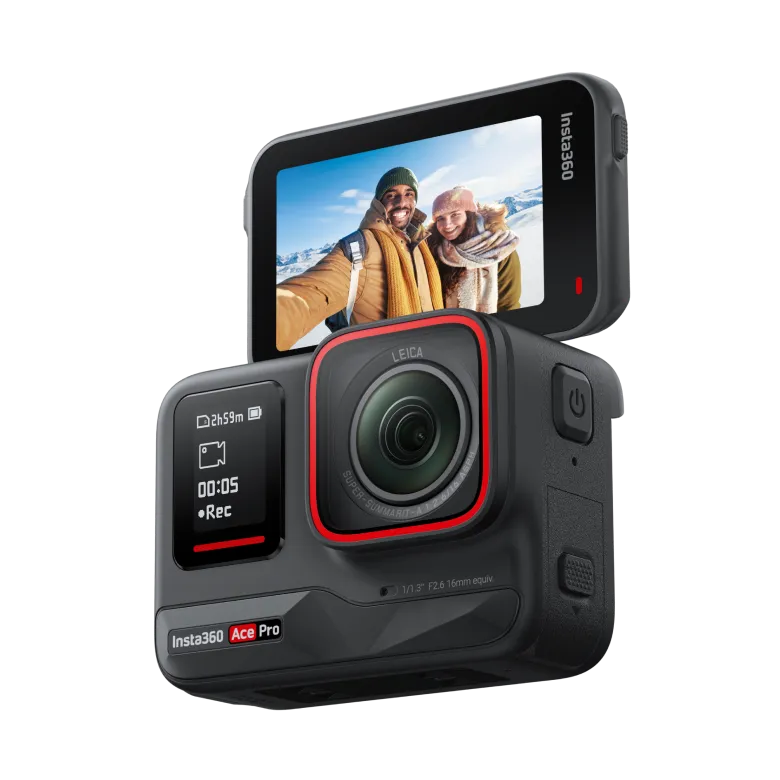
The Insta360 Ace Pro is a wide-angle action camera featuring a lens developed in collaboration with Leica and a 1/1.3-inch sensor for high-resolution, daytime and nighttime shooting with excellent color reproduction. Its compact, weather-resistant, and weather-resistant body features a flip-up touchscreen, making it unparalleled in its ease of use, even for selfie shoots like vlogging. It also boasts numerous features not found in existing action cameras, including a variety of shooting modes, voice and gesture control, reliable image stabilization, an easy-to-use interface, advanced and smooth AI-powered editing, and fast charging. This high-spec action camera (also released at the same time as the "Insta360 Ace," a slightly more affordable model) offers top-class image quality and superior operability
Recommended points
- Flip-up touchscreen lets you take pictures from a variety of angles, preventing you from missing a shot
- Excellent image quality thanks to Leica lenses, a 1/1.3-inch sensor, and a superior image processing engine
- Robust construction, cold-resistant down to -20°C, and waterproof to 10m
- Image stabilization and 360-degree horizon maintenance for stable, natural footage even during intense activities
- Convenient "FreeFrame" mode that lets you decide the angle of view and FOV (field of view) during post-shooting editing
- Excellent low-light performance for bright images even in dimly lit scenes
- Easy-to-use software that allows for smooth editing on smartphones (also compatible with PCs)
- Still image capture with a maximum resolution of 48 megapixels and RAW format support
- Fast-charging battery that charges to 80% in 22 minutes and fully charged in 46 minutes
Points of interest
- It feels a bit heavy compared to other action cameras (the body itself is heavy, but it's even heavier when used with a standard mount)
- 8K/24fps video has limited image quality settings and shooting modes, and the playback environment is not yet ready, so it has little use other than for trimming later
- On my smartphone (Pixel 6 Pro), I had difficulty editing the video file in the app without first downloading it, so I think a certain level of smartphone performance is required for smooth use
Main specifications and evaluation
| item | Insta360 Ace Pro |
|---|---|
| External dimensions | 71.9mm x 52.15mm x 38.5mm |
| weight | 179.8g |
| Sensor size | 1/1.3 inch |
| aperture | F2.6 |
| 35MM format equivalent focal length | 16mm |
| Main video resolutions |
|
| Maximum Video Bitrate | 170Mbps |
| Main photo pixel count |
|
| Video Mode |
|
| Photo Mode |
|
| Charging time |
|
| operating temperature | -20℃ 〜 40℃ |
| Waterproof performance | 10m (without diving case) |
| Other key features |
|
| Outdoor Gearzine Review | |
| toughness | ★★★★☆ |
| weight | ★★★☆☆ |
| Video Quality | ★★★★★ |
| Operability | ★★★★☆ |
| Editing comfort | ★★★★★ |
| Accessory richness | ★★★★☆ |
| Cost performance | ★★★☆☆ |
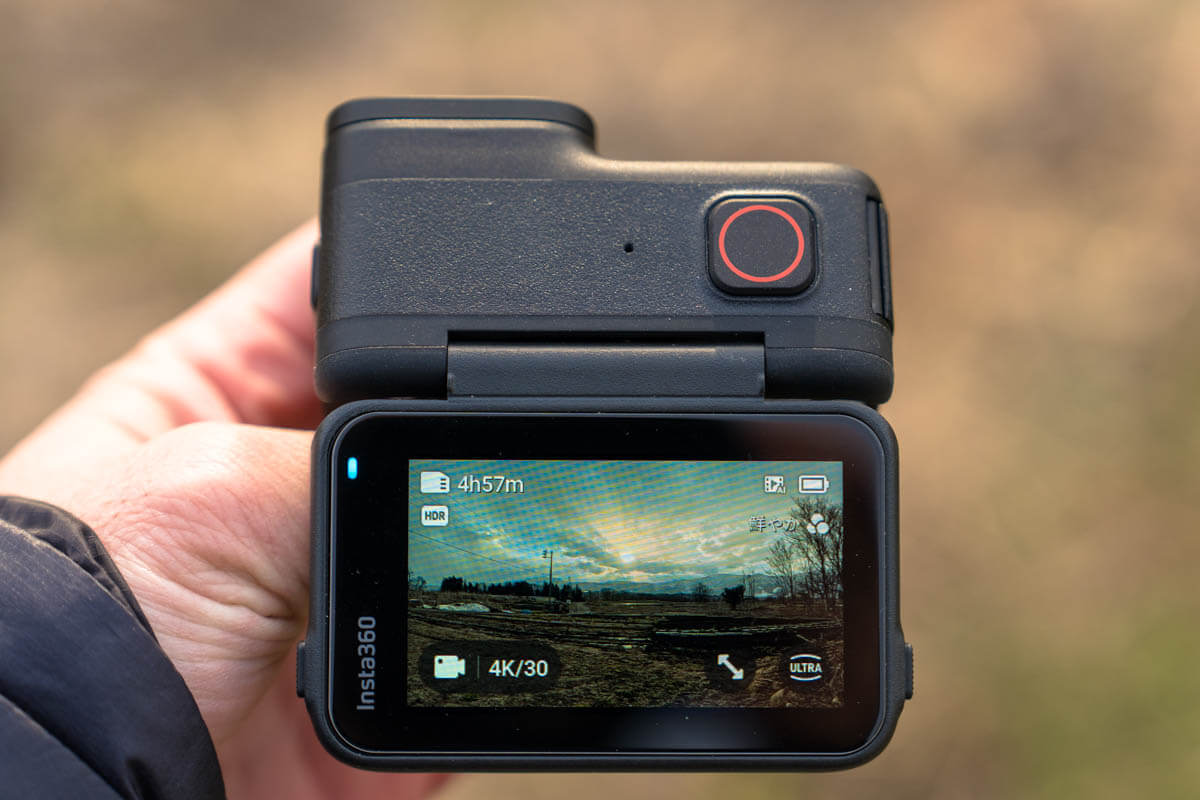
Detailed impressions - Focusing on the points that stuck out when actually using it for mountain climbing and skiing -
Appearance, build quality, and toughness
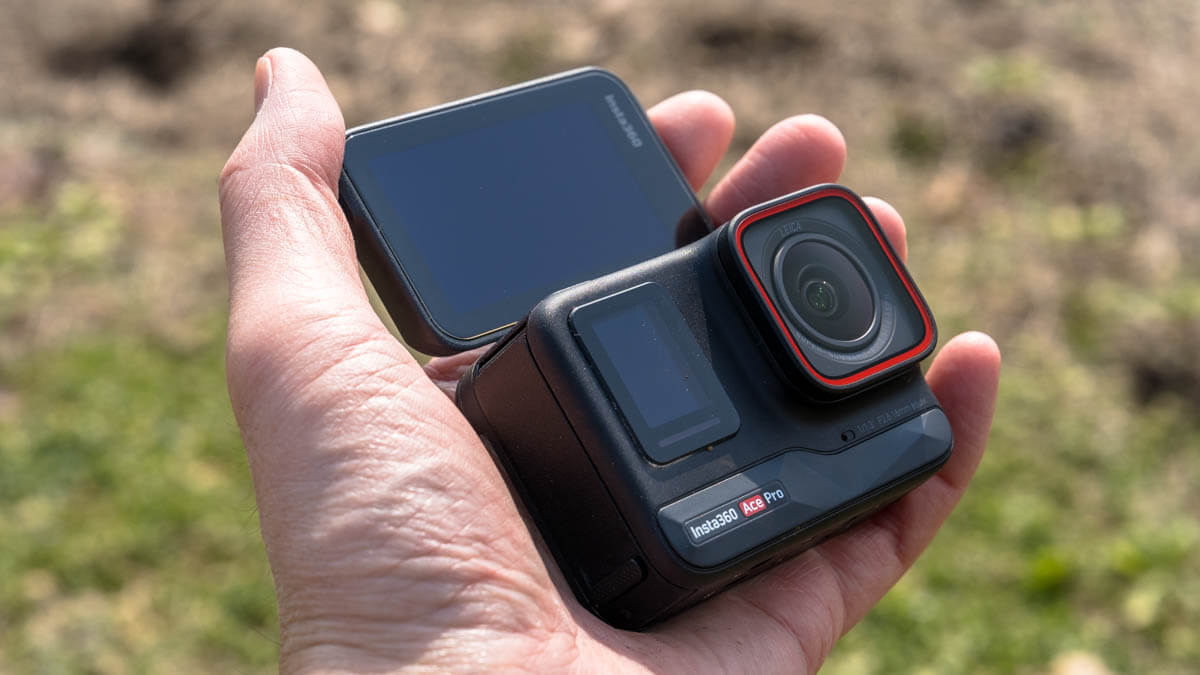
The Insta360 Ace Pro has a design and structure that is basically the same as a GoPro, with a lens and small display on the front, a large screen on the back, and a cover on the side that contains the buttons, battery, and various ports.
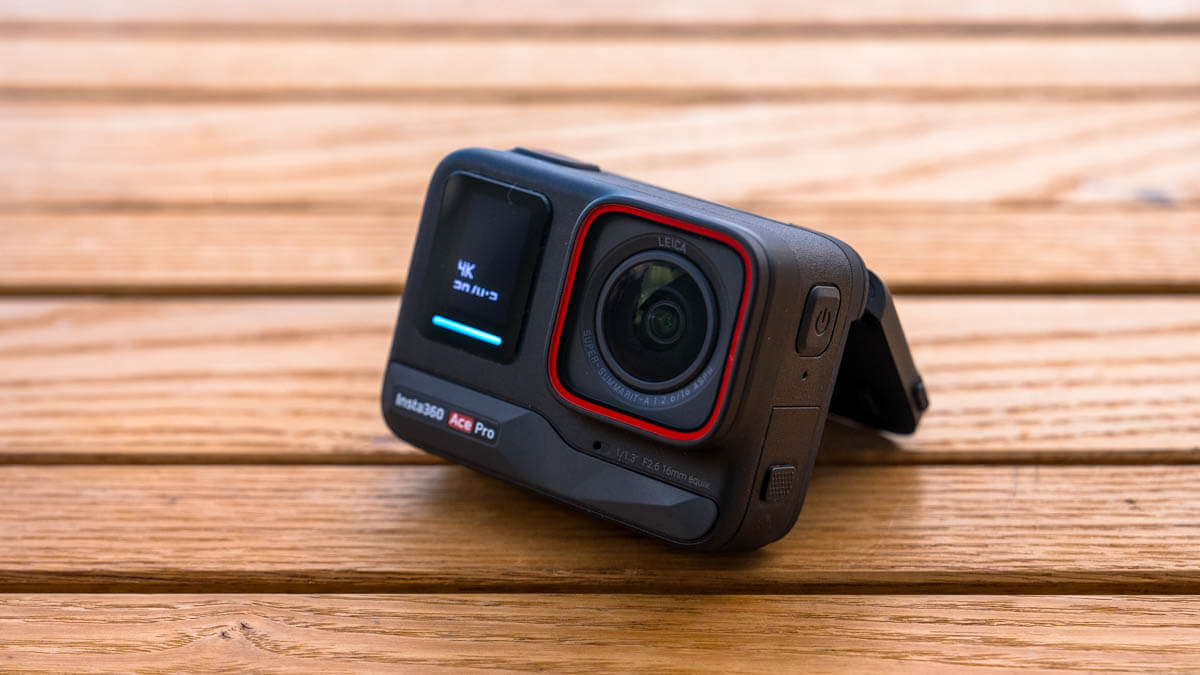
The build quality is really solid and impressive. The body and buttons are made of sturdy materials, and while it looks very similar to a GoPro, it feels heavier and more luxurious in the hand. It also has excellent heat dissipation properties, and I found that it efficiently dissipates heat when it gets hot during charging
The side hatches are tightly closed to prevent water from getting in, but they're not difficult to open. Also, unlike the GoPro, there's one on each side, with one battery box on one side and a micro-SD card slot and a USB Type-C port with fast charging capabilities on the other. Separating them is a bit of a clunky thing, but it makes them easier to use, which I like (see photo below)
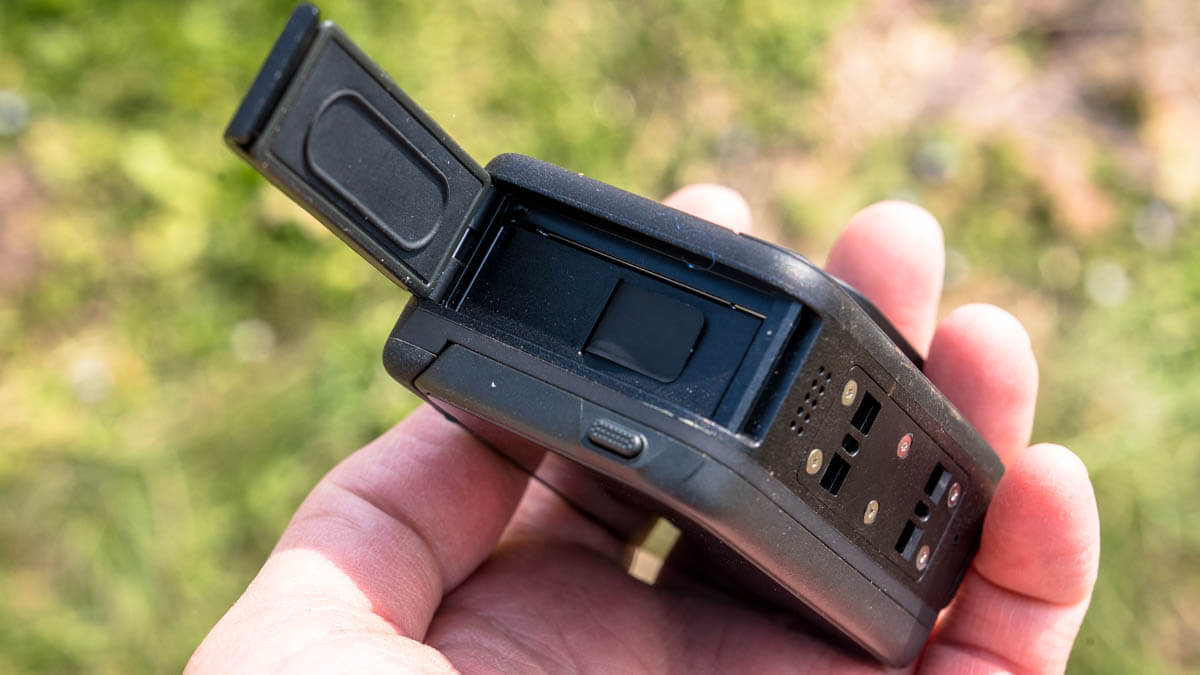
Battery box on the left side
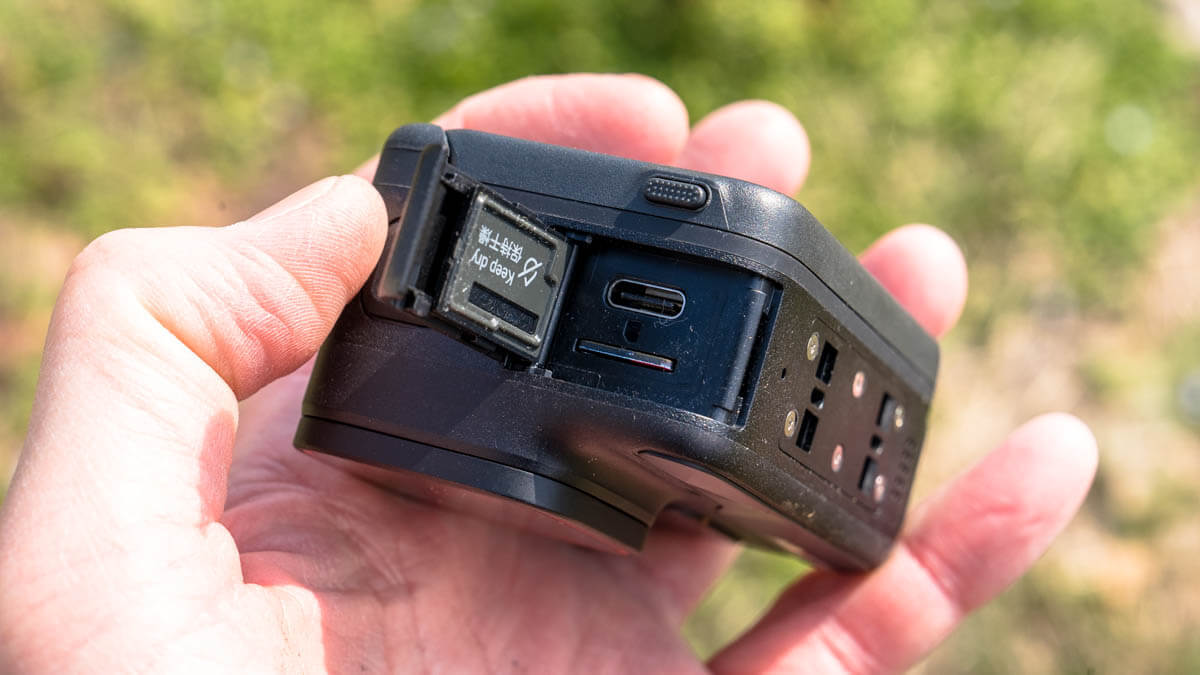
On the right side there is a USB port and a microSD card slot
The long-awaited flip-up touchscreen
the Insta360 Ace Pro hardware-wise different from other action cameras is the flip-up touchscreen on the back.
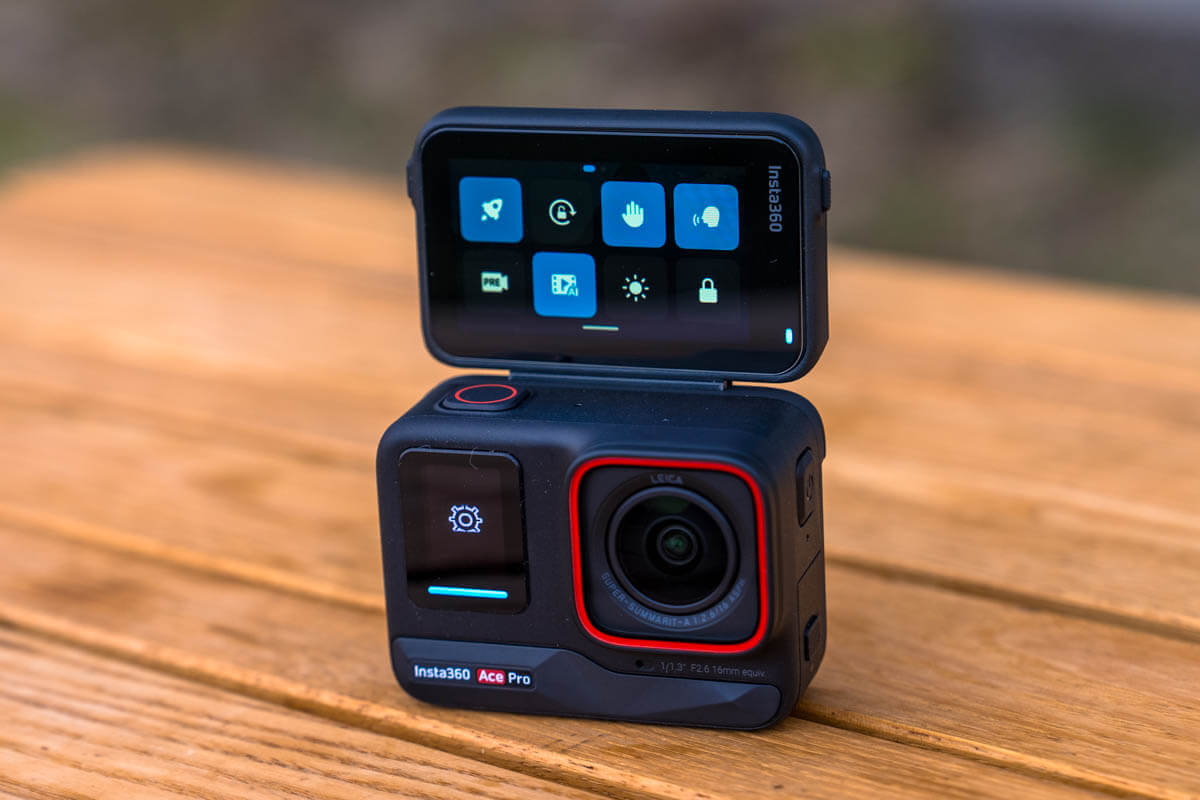
The touch screen on the back can be operated even when flipped up
DJI and GoPro cameras are small and not particularly easy to see, and since they are only visible "on the front," I don't remember ever feeling like they worked well enough when shooting with my own methods.
The Ace Pro 's 2.4-inch flip-up touchscreen has a hinge at the top that opens and closes 180 degrees, allowing you to view the image not only from the front, but also from above by opening it 90 degrees, and it also made video shooting much easier (compared to the previous two models) even from a certain distance.
This is a long-awaited feature for me, as I mainly use it in the mountains and skiing, and it is no exaggeration to say that this alone is reason enough to choose this model
That's because, when hiking, climbing rivers, skiing, etc., I've often had to mount the camera to a part of my body and start filming without knowing how it would look. As a result, I've had countless disappointing experiences where the sky wasn't captured because the camera was pointed slightly downward, or, conversely, skis on the ground weren't captured when I wanted them (one of the main reasons I switched from action cameras to 360° cameras)

With this flip-out screen, you can flip up the rear screen to check the image while taking selfies, shooting at low angles, or even when using a chest mount or shoulder strap
Of course, there have been ways to shoot while checking the footage by connecting to a smartphone, but shooting while looking at the smartphone is not practical, and it is also cumbersome to operate it every time in the freezing cold, so it was far from practical. For someone like me who often climbs mountains with a selfie stick and chest mount, this is a revolutionary advancement
If I were to be greedy, I would ideally like a vari-angle screen that is easy to use even with a vertical angle of view, but that's probably asking for too much. Let's look forward to future developments
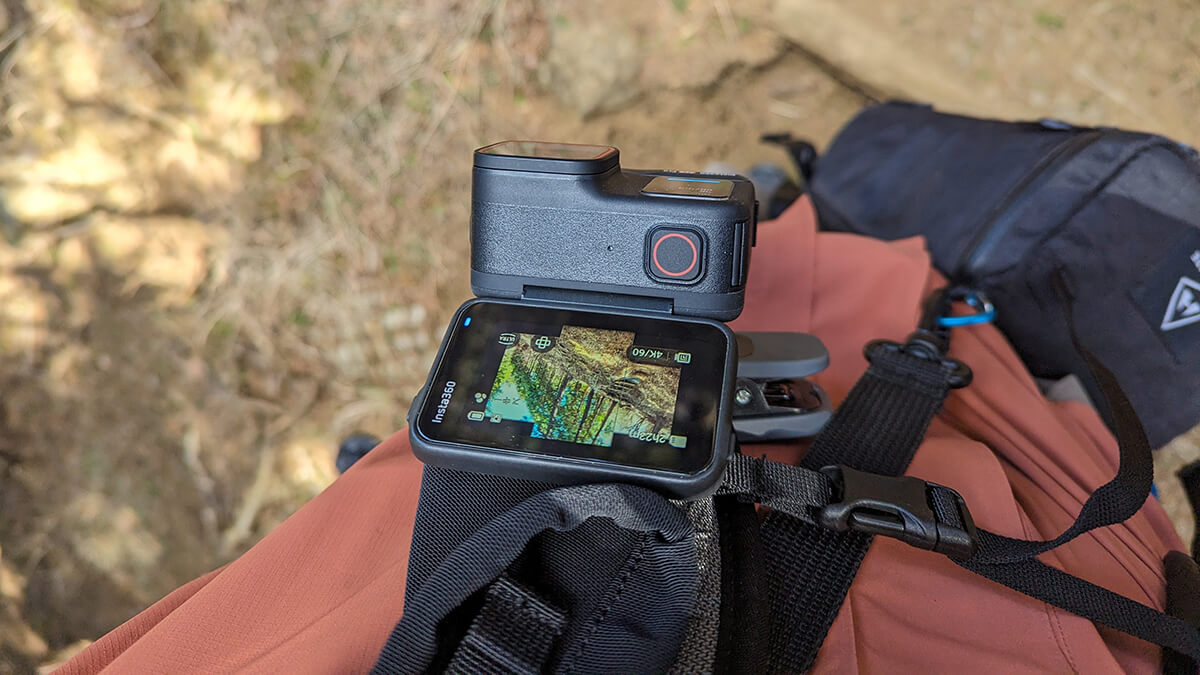
Even when attached to a chest or shoulder strap, you can still shoot while viewing the video by leaving a small gap
By the way, the front screen displays important information about the current shooting settings in black and white
When the camera is powered on, it displays a large light bar that glows blue or red depending on the mode you've selected, the recording options you've selected for that mode, battery life, memory card space available, and recording status
The drawback is that it is a bit heavy and bulky
Despite its solid build quality and convenient flip-out screen on the back, it's inevitably heavier and bulkier than competing cameras like the GoPro. The weight difference is a few tens of grams: the Ace Pro weighs 179.8g, compared to the GoPro Hero 12 Black 's 154g and the DJO Osmo Action 4 the Ace Pro also requires a magnetic base for mounting, so the weight difference becomes surprisingly significant when factored in. While it's often barely noticeable, the weight can become noticeable when holding the selfie stick extended for long periods of time or when attached to a helmet. Also, (though it wasn't particularly noticeable) the size is inevitably larger due to the rear screen, as shown in the photo below.
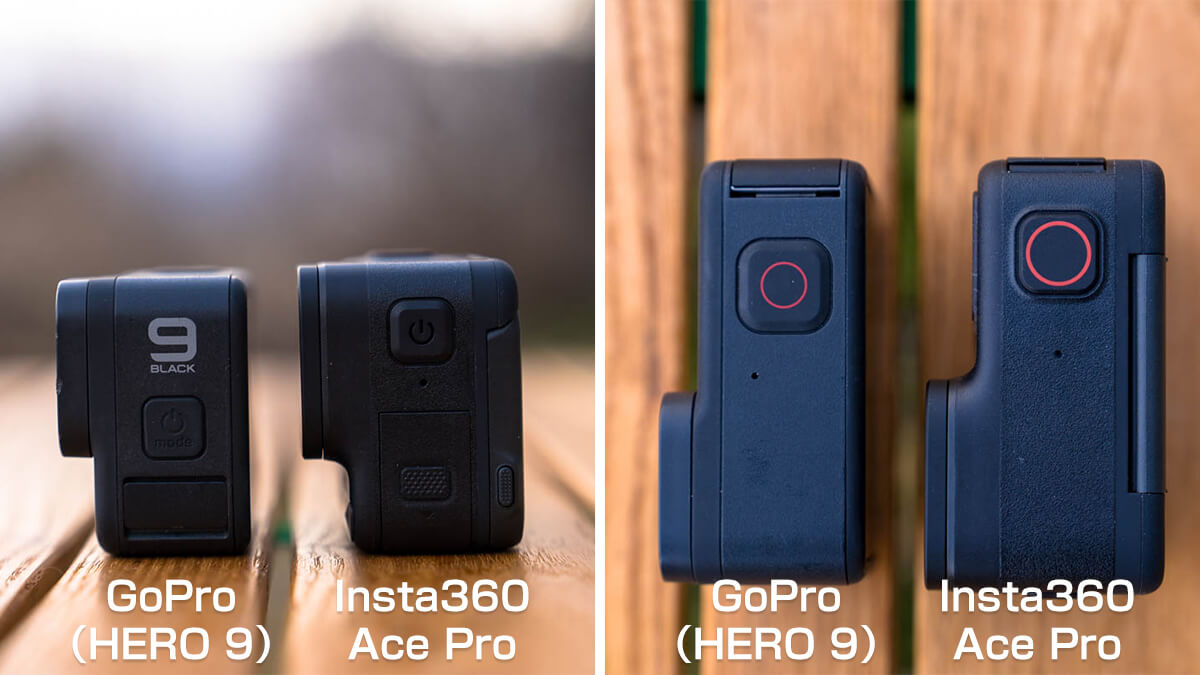
Size comparison. *The photo shows the GoPro HERO 9, but the latest version, the HERO 12 Black, is the same size
Mounting, image quality, and ease of image creation
Many mounting options
When it comes to action cameras, rather than holding them in your hand, they are typically attached to various places, such as a selfie stick or your body, and the mounting device that allows you to attach the camera to these is important
In this regard, the Ace Pro offers a wide range of mounting options, and the body itself is equipped with a smart mechanism that eliminates the hassle of changing mounts.
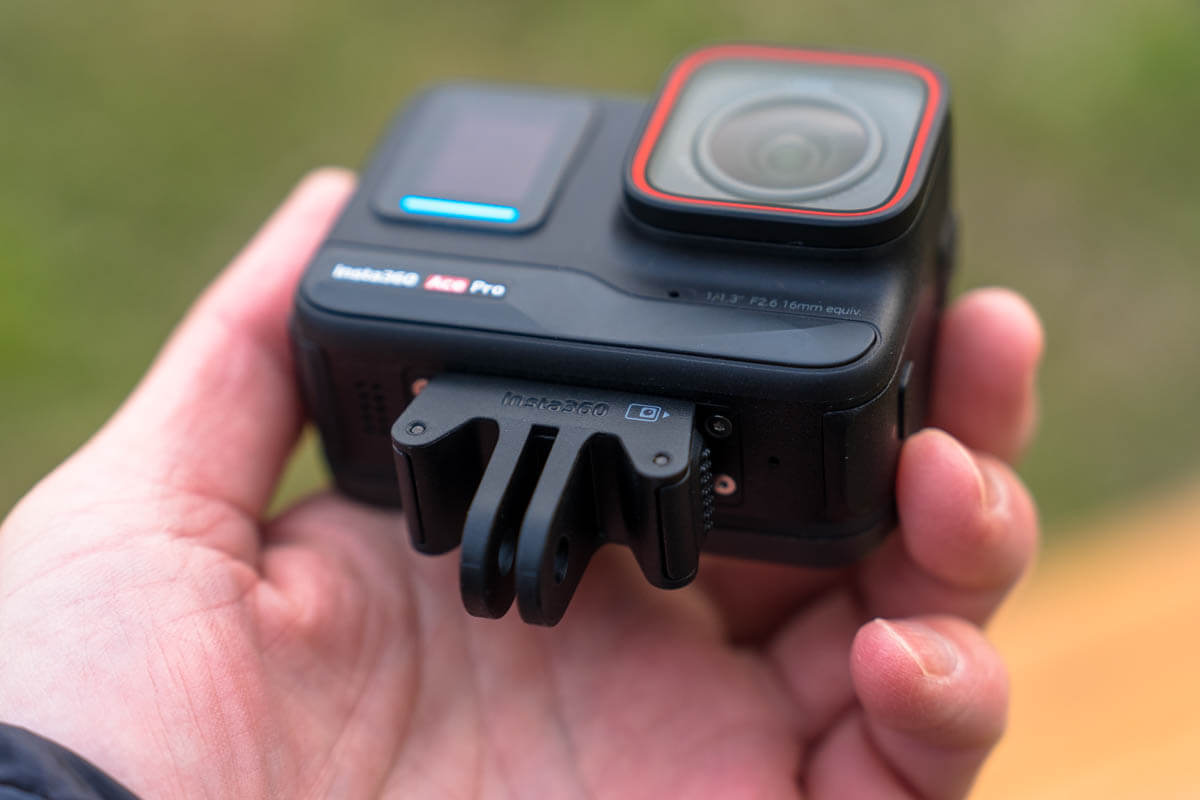
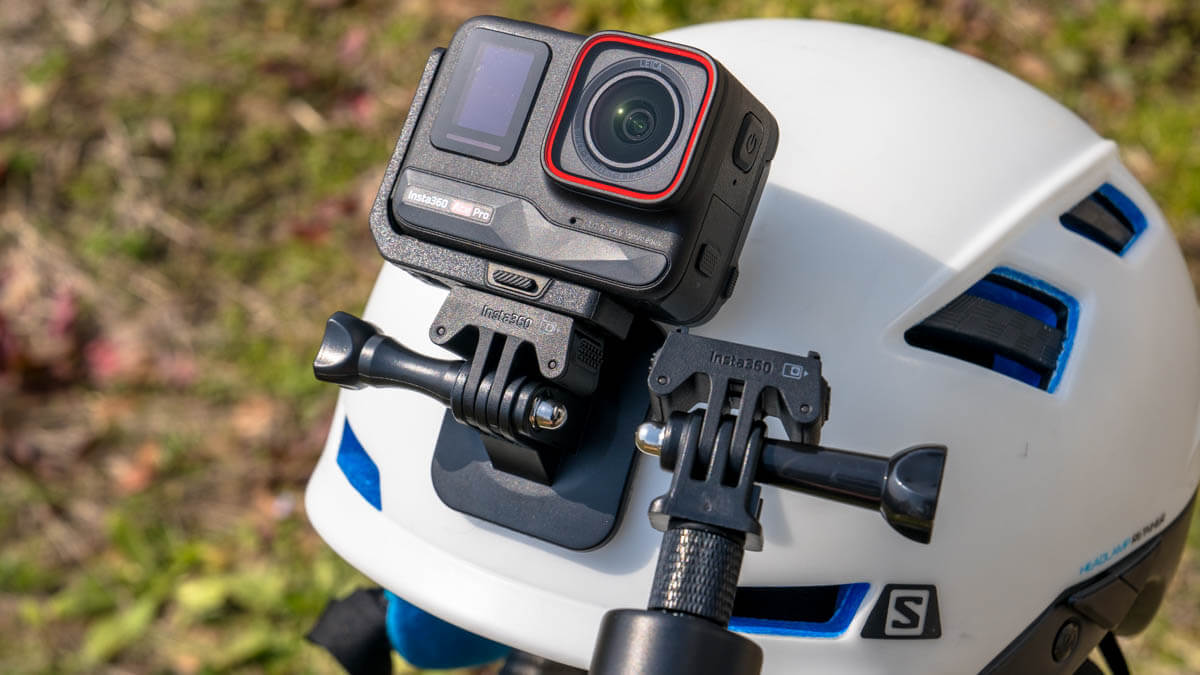
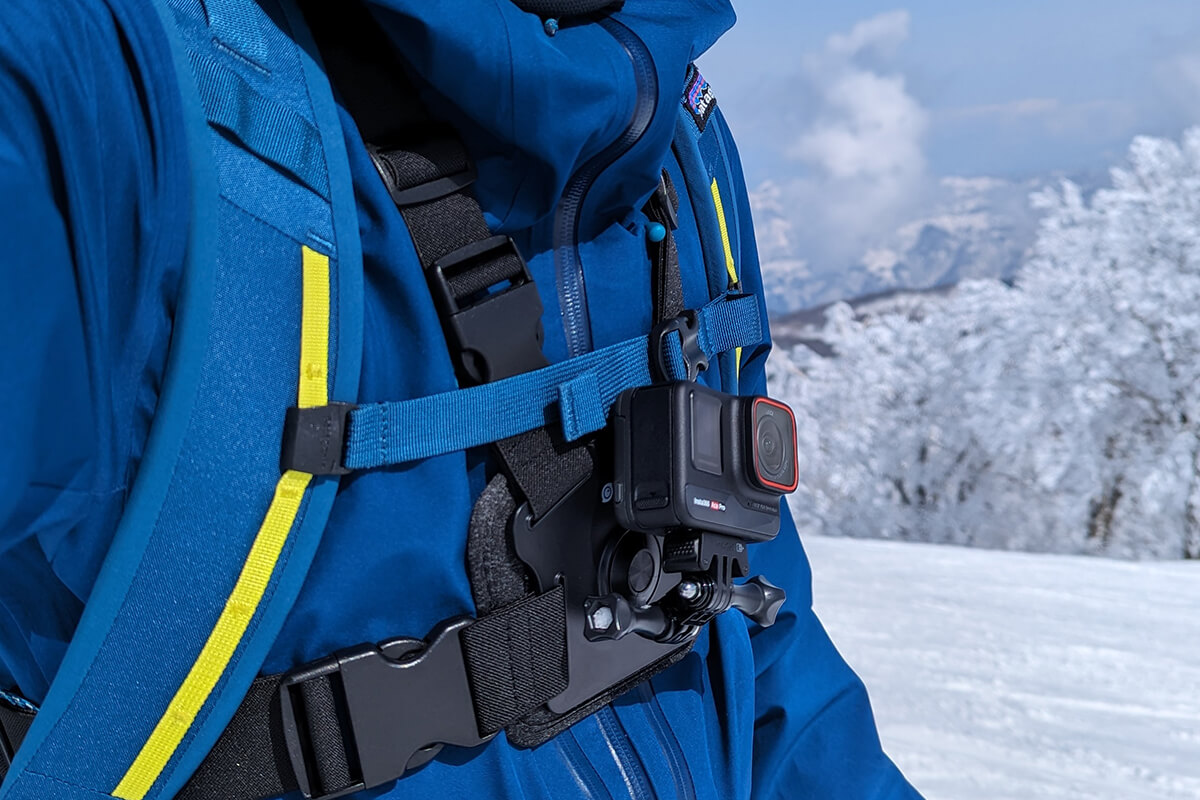
Essentially, the camera has a magnetic plate at its base that a compatible mount can attach to, and it's easy to attach and detach, allowing you to quickly snap the camera onto a variety of mounts
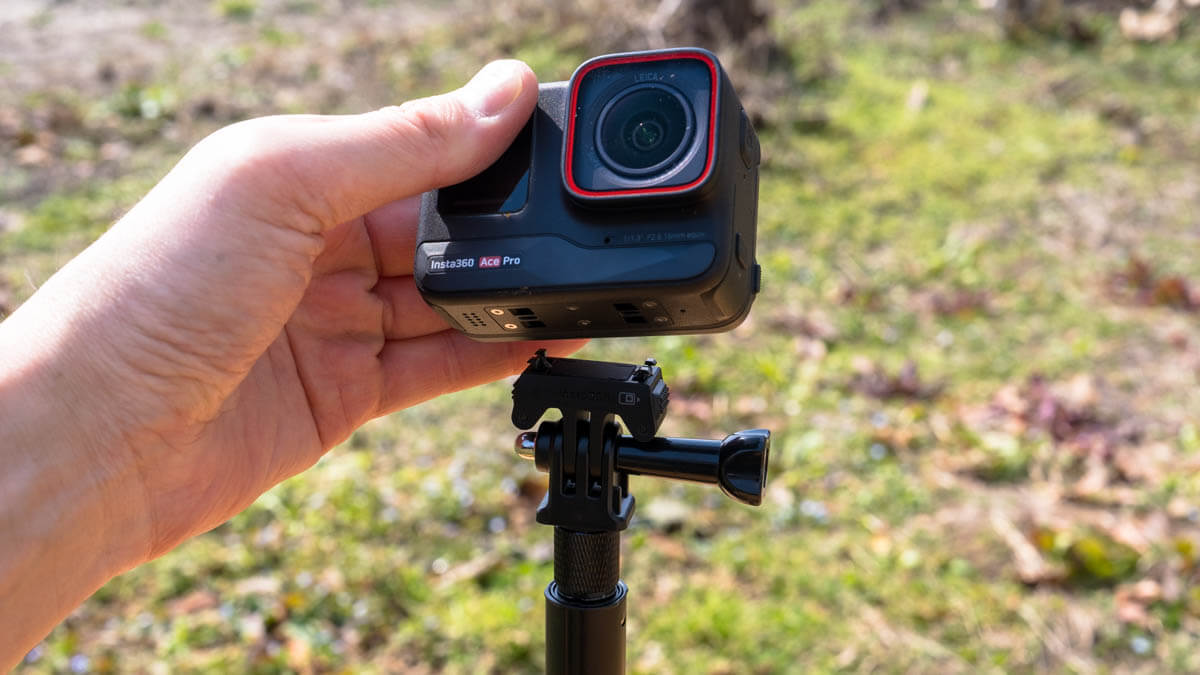
Therefore, if your budget allows, you can attach this mount to each necessary part, such as a selfie stick, shoulder strap clip, chest strap, or helmet, and set it up without having to open or close any screws
In my case, when hiking I usually use a chest strap or shoulder strap clips (when the chest strap is too hot)
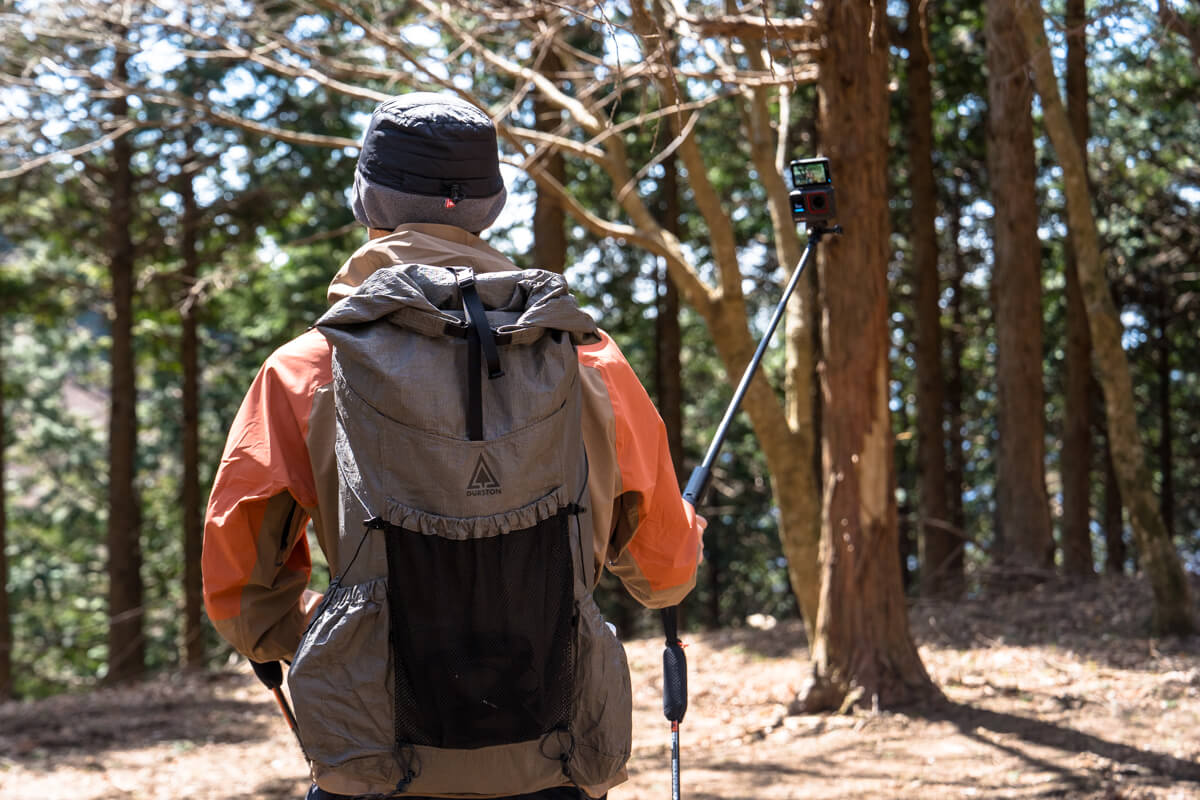
Of course, you can also use a selfie stick for vlog-style shooting. This is often used when taking photos while running, such as during trail runs
When climbing streams, I usually use a helmet, and when skiing, I use a chest strap or selfie stick, so for the time being, all I needed was a selfie stick or mount that suited those needs, as well as a vertical and horizontal mount to hold the camera vertically
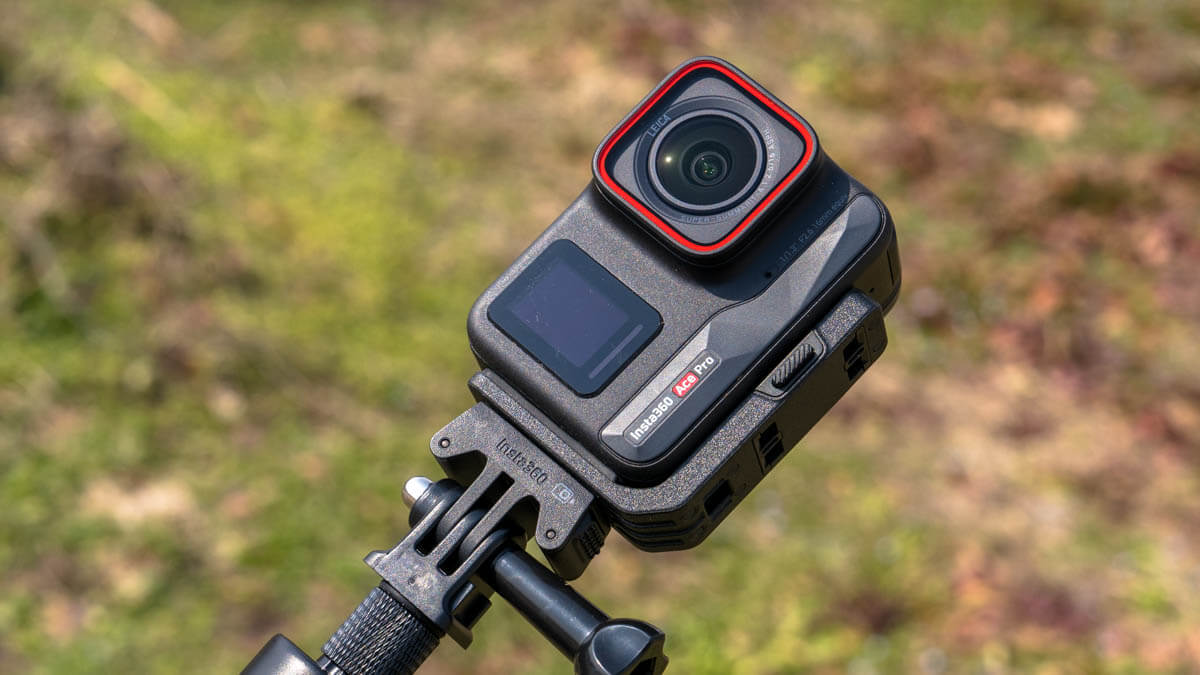
However, there are a wide variety of mounts available for other activities such as mountain biking and water sports, so you probably won't have to worry about not being able to find a mount that suits your style (although this will cost you)
Excellent video quality
There's no denying that the most important thing about an action camera is video quality. I've never been particularly keen on high-quality video, so I don't have the ability to judge it to a high level, but thanks to the Leica lens, 1/1.3-inch sensor, and excellent image processing engine, the Insta360 Ace Pro 's detailed and vivid video was flawless and I was more than satisfied.
Seeing is believing. By using the camera settings almost as they are and without any post-processing, you can capture high-resolution, highly color-reproducible videos like the one below
The impact of 4K 120fps video on skiing
The camera is also capable of video recording at up to 8K/24fps or 4K/12fps. While the 8K resolution is the Ace Pro 's various shooting settings and the playback environment not yet catching up, the smooth, clear footage captured at 4K/120fps while filming skiing was quite appealing.
In the video below, we compare the 120fps with a video shot at 60fps to see how smooth it is
*Please note that although the video itself was created at 120fps, if the refresh rate of your display is below 120Hz, you will not be able to see the smoothness of the video at normal speed (first half)
120fps is often used to clearly express slow motion in sports and other situations, and you can see this in the slow motion in the second half of the video. And not just in slow motion, even when filming at normal speed (the first half of the video), 120fps certainly looks clearer and smoother despite the faster motion. It seems like it'll be very useful when shooting fast-paced footage
Active HDR image quality for vivid and balanced images even in fast-moving videos
The Insta360 Ace Pro defaults to "Active HDR" image quality at 4K/30fps or below. "Active HDR" is the best option when shooting in high-contrast environments, stabilizing action footage, minimizing ghosting, and preserving details in highlights and shadows for more vibrant images, making daytime footage more vivid (from the official website)
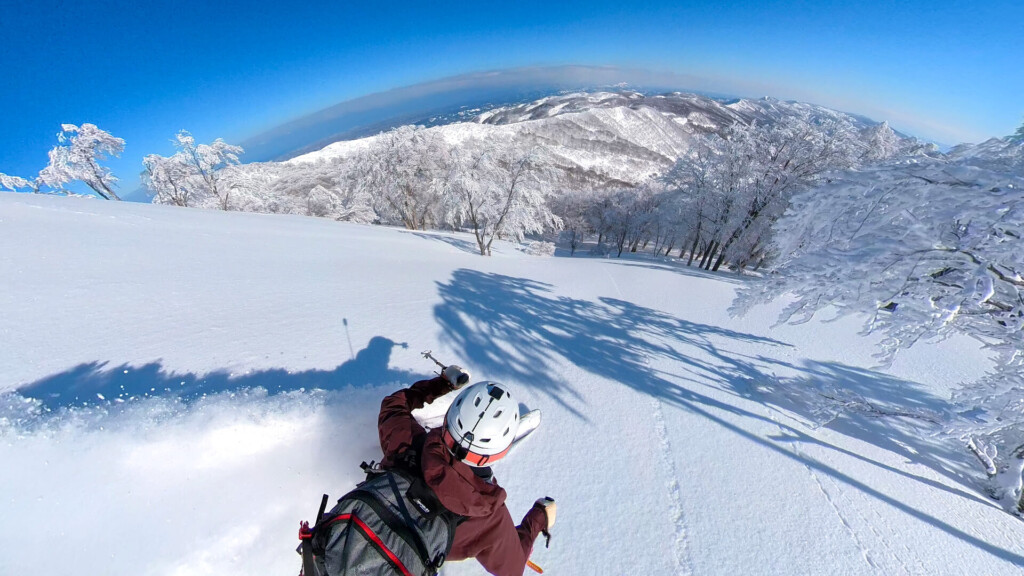
So I tried shooting at a ski resort on a beautiful sunny day. The shadows on the snow are clearly visible, and the surrounding high-contrast objects, such as the blue sky, trees, shadows, and skis, are well-balanced. It would be nice if this worked at 4K/60fps, but unfortunately, it only works at 4K/30fps or less
Its low-light performance is also impressive when shooting while hiking
While the image quality during the day is impressive, the Ace Pro 's outstanding performance in low light is in fact achieved through its "PureVideo" shooting mode.
The Leica lens and large sensor capture more light, and the fast processor on the 5nm chip, enhanced with AI, reduces noise and enhances details in dark environments, resulting in exceptionally good footage even in low-light conditions
The video below was recorded in "PureVideo mode" while walking around Ueno Park around 8pm. I'm not an expert, but even though I just shot it with this setting, the lack of noise is already amazing
This excellence in low light is also useful for mountain climbing. There are always opportunities to capture beautiful scenery 24 hours a day in the mountains, especially when shooting around sunrise and sunset, inside a tent, or photographing a bonfire or the starry sky at night, and the Ace Pro should be able to instantly set the optimal settings for any situation.
Reliable image stabilization
Although it's becoming increasingly rare to see an action camera without one these days, image stabilization has become so important and standard that it's indispensable. This camera's image stabilization was no exception, and it worked really well
The video below shows me walking up an undulating mountain trail with a selfie stick, then starting to run. Despite the fact that I was moving around quite quickly, the camera absorbed vibrations as if I was skating, keeping the footage smooth at all times. I'd be happy to take this with me on a trail run
Don't underestimate still photography
The Insta360 Ace Pro can take high-resolution photos of up to 48 megapixels, making the most of its large sensor. It also supports the DNG RAW format, so while it requires development in Lightroom or similar, it can also be used as a fully practical wide-angle camera. Below Ace Pro RAW format, which has been processed after adjusting color and image distortion.
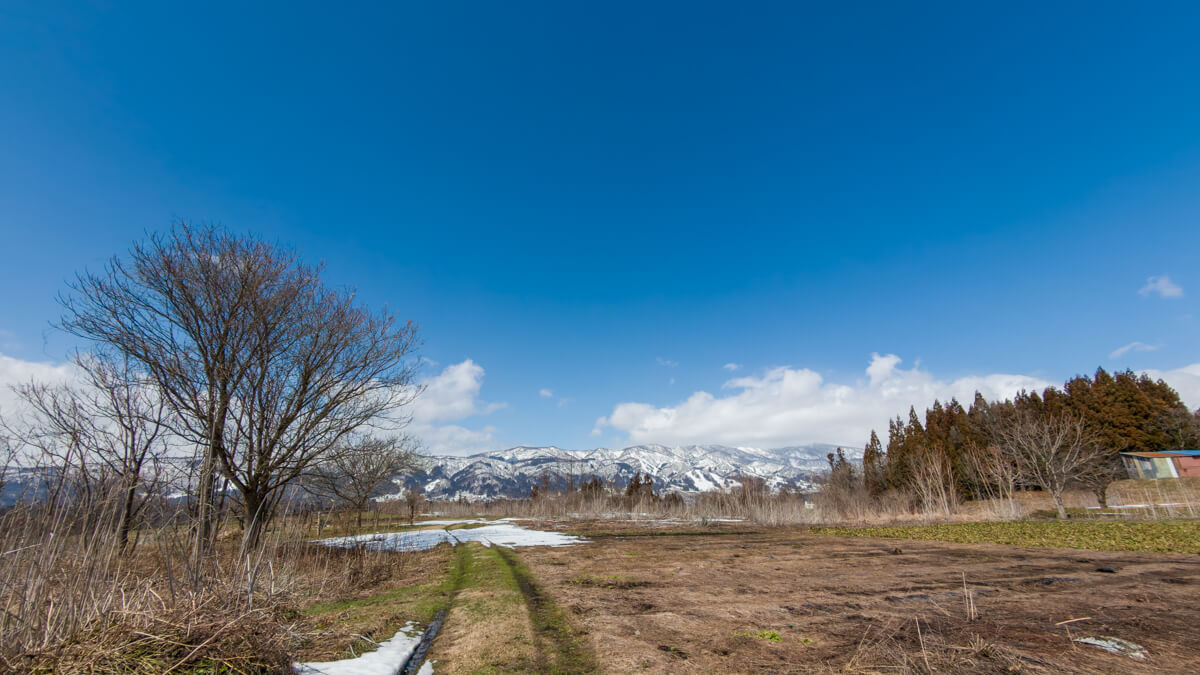
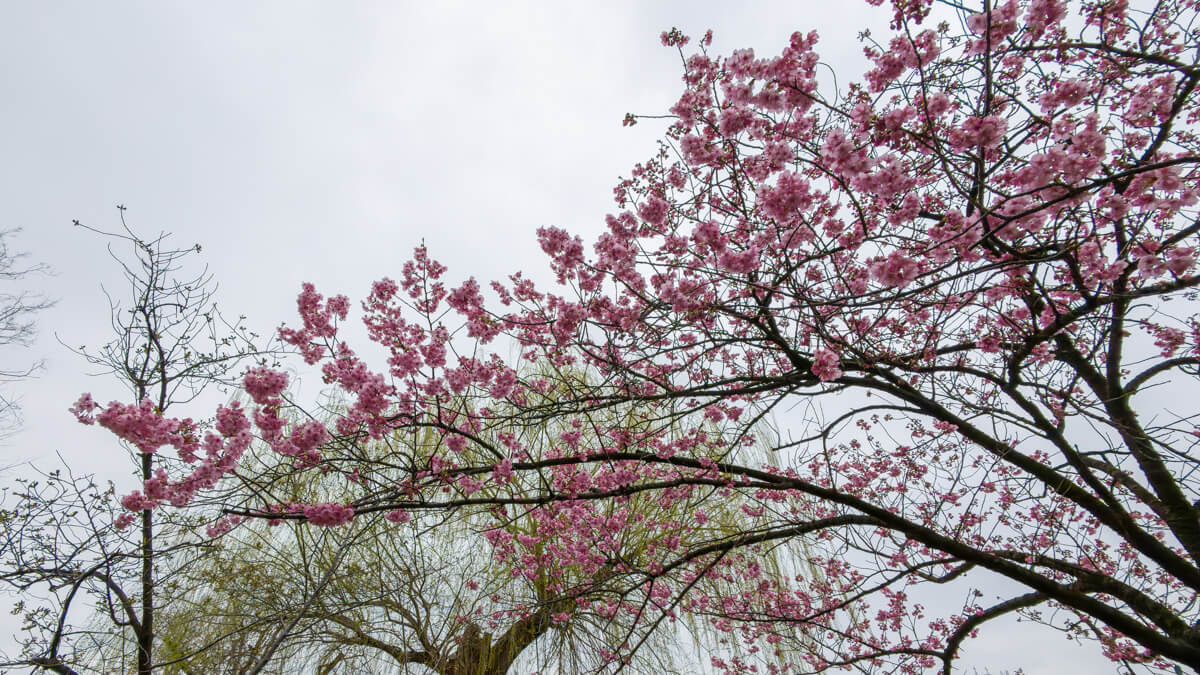
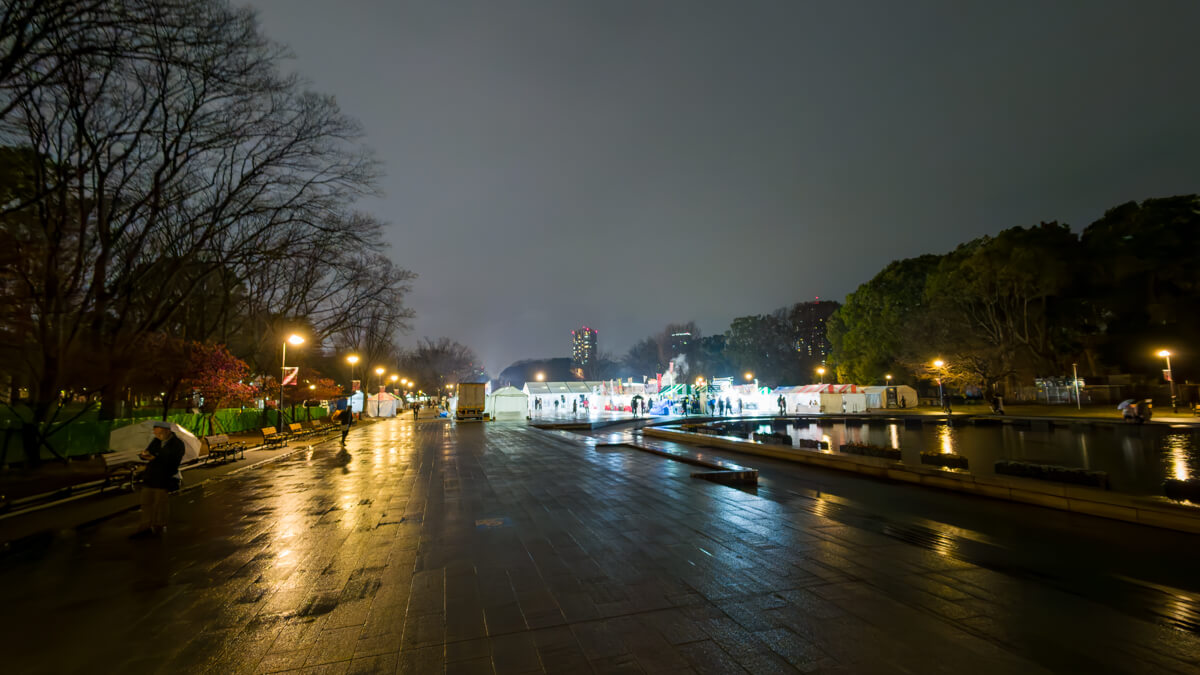
You can also use the camera's built-in HDR function to capture HDR JPEG images with improved dynamic range and color accuracy. Of course, this might not be as important for those who already have a smartphone camera with a higher resolution, but the Ace Pro also has the ability to take stills while recording video, which is certainly great for taking action shots at the very least.
Wide range of shooting options and easy-to-use "FreeFrame" mode
At Outdoor Gearzine, we have a YouTube channel and an Instagram account, and because we need to share our videos across different social media platforms, we have to constantly switch between shooting vertical and horizontal orientations. The "FreeFrame" mode is a convenient feature for situations like this. While not unique, the Ace Pro allows you to record videos in a 4:3 aspect ratio, which offers a wider field of view than the standard 16:9 aspect ratio, and then later trim the video to various angles, such as 9:16, 1:1, or 16:9, during editing. What's more, you can also fine-tune various image-making elements, such as image stabilization strength and field of view (FOV), during editing.
Using "FreeFrame" mode, you can export a single video resource with multiple angle of view and multiple types of field of view, as shown in the photo below. Being able to calmly consider the image composition later is an extremely useful feature when operating a camera outdoors in harsh environments
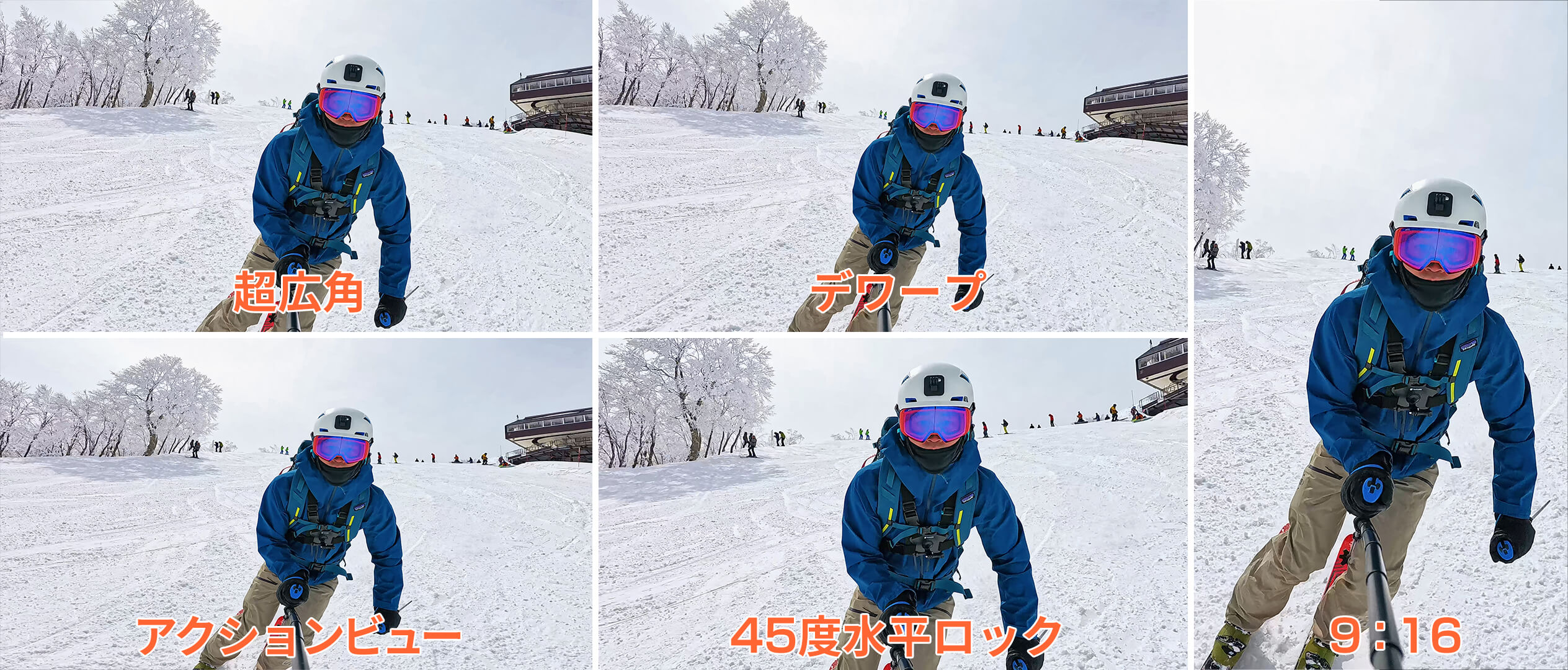
To explain the various fields of view (FOV) the Ace Pro offers, firstly, "Ultra Wide" mode is a classic fisheye view with significant distortion on both sides, but it's not too extreme and works at any frame rate. Next, "Action View" mode allows for the widest possible angle of view. "Dewarp" mode has a narrower field of view than ultra-wide or action, but it removes distortion for a more natural look. Finally, "45 Degree Horizon Lock" mode further crops "Dewarp" and maintains horizon even when the camera is tilted within a ±45 degree range
Functionality
Voice and gesture control
I'd mostly ignored voice control because it was always a bit inaccurate, but after purchasing a new model for the first time in a while, I found it to be significantly improved. And then there's the "gesture control" feature. Specifically, if you open your hand and show it to the camera with your face visible, it starts recording after a three-second countdown. If you make a "peace" sign instead of a "panel" sign, it takes a photo after three seconds. I found it surprisingly useful, but it wasn't 100% accurate yet, so it seems it was too early to rely on it. However, if it works, it'll be incredibly useful, so I plan to use it when I have the time
Display data in conjunction with Garmin or Apple Watch
This is new. By connecting with a Garmin watch or Apple Watch, it displays the data it obtains from them as an overlay on the screen in several styles. In the video below, you can see your heart rate in the upper left, elevation and slope in the upper right, a map of the route and its distance and date in the lower left, and finally, your speed in the lower right. All of this data was tracked using the Garmin Fenix 6
It's still a long way from being perfect, but the "selfie stick eraser" feature is a nice addition
The Insta360 Ace Pro has an AI-powered "Selfie Stick Eraser" feature that can be used in post-shooting editing. To see how well it works, I tried erasing a selfie stick attached to a ski pole using the Insta360's genuine "Ski Pole Mount."
This was my first time using it, so I wasn't sure how it would work, and it seems difficult with fast-moving, complex backgrounds, but in the end, it seems possible to remove it to a degree that isn't noticeable. However, this feature doesn't seem to be able to remove the selfie stick throughout the entire video, and it only seems to be applicable for up to 30 seconds. In any case, the days when selfie sticks could only be removed from 360° cameras are almost over, and it's moving to think that selfie sticks will soon be disappearing from action camera footage as well
Editing and exporting
the Insta360 X3 I found it easy to use the Ace Pro uses the same app for editing and exporting Insta360 is that all of their cameras come with a simple and elegant UI, and there's no stress of having to keep opening the app screen and waiting for it to load. It's a very user-friendly app (and it's free to use with all the features).
There are many ways to edit and customize your footage, from basic corrections like trimming, filters, and exposure editing to new AI video processing and editing support features. While not all features are the same, PC software is also available, making it convenient for detailed editing and management
If I have one complaint about this software (this may only be my case), it's that when I display and edit video from my camera on my smartphone via Wi-Fi, the video stutters and slows down, making it impossible to work with, so when editing on a smartphone, I usually have to download the video to my smartphone. If your internet speed and smartphone processing speed are both insufficient, editing on a smartphone app can be frustrating. Personally, I often download video files to my PC and edit them using a desktop app
Summary: An action camera that made me want to take it with me on mountain climbing trips again
When I got the Insta360 ONE X2 and Pixel 6 Pro, I thought those two would be enough for mountain photography. I had been using the GoPro , but I ended up not getting into it, and for the past few years I'd thought I was done with action cameras. The Insta360 Ace Pro has reminded me of the high practicality of action cameras. While there are still some small details, such as weight, that I'd like to see improved, overall it's an amazing device that allows me to shoot in any location, weather, or time of day without any unnecessary worries.
Not only does it offer impeccable image quality, it's also tough and lightweight enough to be taken outdoors with confidence, has a wide range of shooting modes from basic to more challenging, and an easy-to-use interface, making it perfect for capturing excellent footage in harsh environments
Even if there are some overlapping functions with 360° cameras and smartphone cameras, each has its own strengths - the free and nimble 360°, the easy and versatile smartphone camera, and the tough, high-quality, high-performance Ace Pro - and I feel like I can continue to use these three together. In any case, I think this is the perfect device for someone as ambitious as me who wants to use it for both technical and intense activities like canyoning and skiing, as well as more relaxed outdoor activities like mountain climbing, camping, and walking around town.
Related reading
 As a beginner to both action cameras and starry sky photography, I tried taking starry sky photos and time-lapse videos with the Insta360 X4 [Step-by-step guide]
 It's so much fun to shoot "drone-like" ski footage with the 360-degree action camera Insta360 X3 [How do you do it?]
 Four recommended mounts and accessories to make the highly practical action camera "Insta360 Ace Pro" even more convenient
 The 8K resolution 360-degree camera "Insta360 X4" makes mountain climbing and other outdoor activities that much more enjoyable [Practical Review]